

Table of Contents
You have a budget for a new gaming computer, but one question keeps coming back: are gaming laptops worth it, or would a desktop give you more performance for your money? A gaming laptop looks like the easy answer. You can take it to class, play at a friend’s house, and close the lid when you’re finished. Then you read about loud fans, short gaming battery life, soldered components, and desktop systems with more upgrade options. Suddenly the convenient choice feels complicated.
The reality is that gaming laptops can absolutely be worth buying in 2026, but not for everyone. Your lifestyle, available space, game preferences, and long-term plans matter more than the label on the box.
This guide compares laptops with desktops across performance, cost, portability, maintenance, and everyday use, so you can decide which one gives you better value.
Are Gaming Laptops Worth It? The Quick Answer
A gaming laptop is a strong purchase when you need one computer that can travel and play games. A gaming desktop often makes more sense if you play in one place, want easier repairs, or expect to replace components over several years.
| Your priority | Usually better fit |
|---|---|
| Gaming at home, school, and while traveling | Gaming laptop |
| Easier future GPU upgrades | Desktop PC |
| A complete computer with screen and keyboard included | Gaming laptop |
| Maximum flexibility in cooling and components | Desktop PC |
| Limited desk space or shared accommodation | Gaming laptop |
| One stable gaming station for years | Desktop PC |
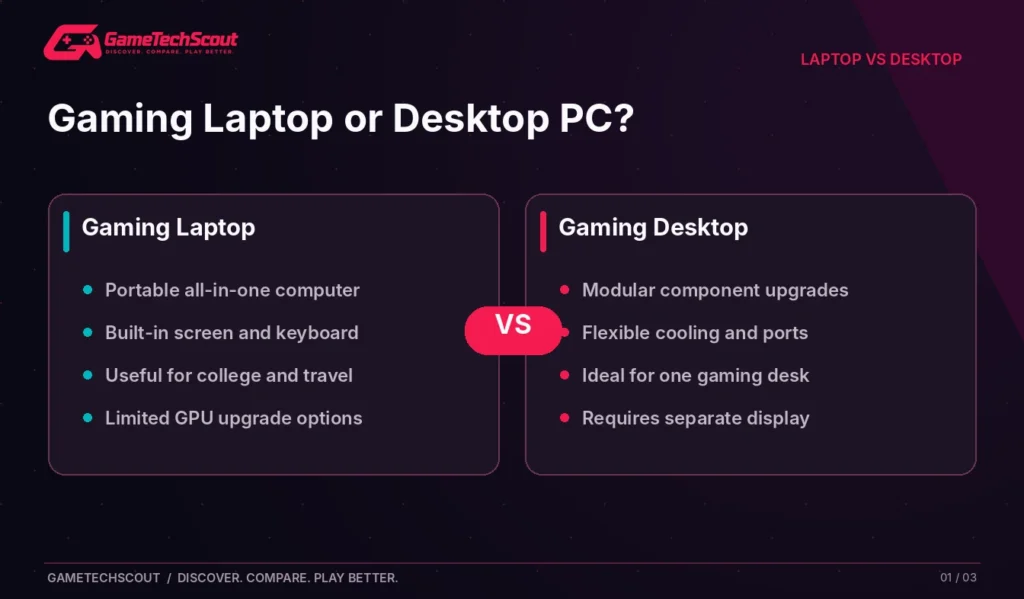
There is no universal winner. Intel’s gaming laptop vs desktop guide explains the same core trade-off: modern laptops can be powerful, but desktop systems are more modular and easier to customize.
The Biggest Benefits of a Gaming Laptop
1. You Can Play and Work in More Than One Place
Portability is the one feature a traditional gaming desktop cannot easily duplicate. With a laptop you can move between home, college, an office, or a friend’s apartment without transporting a tower and separate monitor.
That matters if your computer must serve multiple roles. You might need it for lecture notes in the morning, a group project in the afternoon, and gaming in the evening. A desktop is excellent at a fixed desk, but its convenience disappears when your schedule changes locations.
Remember, though, that portability is about the whole kit. A 17-inch laptop and large power brick may be less comfortable to carry than a slim 14-inch machine. Check the laptop’s actual weight and charger before deciding.
2. The Screen, Keyboard, Camera, and Speakers Are Built In
When you buy a gaming laptop, you receive a complete, usable computer. You don’t have to budget immediately for a monitor, desktop keyboard, webcam, and speakers.
This can narrow the apparent price gap between a laptop and an entry-level desktop build. A desktop buyer who already owns those peripherals may spend less overall; a first-time buyer may need to include them in the comparison.
A laptop can also become a home workstation. Intel’s gaming laptop setup guide describes how to connect external monitors and peripherals when you want a bigger desk experience.
3. Modern Gaming Laptops Can Run Serious Games
It would be misleading to claim that gaming laptops are only for casual titles. Current machines offer dedicated GPUs, fast displays, and CPUs capable of demanding games.
For example, NVIDIA’s RTX 50-series laptop lineup covers graphics ranging from entry-level RTX 5050 models to high-end RTX 5090 configurations. Actual performance still depends on wattage and cooling, and laptop GPUs should not be equated with their similarly named desktop versions.
That means the decision is not simply can a laptop game? The better question is how much performance do you need, and where will you use it?
The Main Disadvantages of Gaming Laptops
1. You Often Pay for Compact Engineering
Building a capable gaming system into a thin chassis is complicated. The manufacturer must fit cooling, a battery, display, keyboard, and electronics into a small space.
That engineering has value, but it also means a laptop may cost more than a desktop offering similar gaming performance, depending on the current market and included peripherals.
Avoid simplistic claims that a gaming desktop is always cheaper. Prices change, complete-system configurations differ, and desktop buyers may need to add a monitor, Windows license, Wi-Fi, mouse, and keyboard. Compare like for like.
2. GPU and CPU Upgrades Are Usually Impractical
This is one of the most important long-term differences. On most gaming laptops, the CPU and GPU are not practical upgrades for a normal owner. Some models allow SSD or RAM replacement, but others use soldered memory.
A desktop generally offers broader opportunities to replace its GPU, cooling, storage, power supply, and sometimes CPU. Intel’s hardware-upgrade comparison explains why compact designs limit laptop customization.
If you plan to buy a new graphics card every few years, a desktop is probably a better fit. If you usually replace the entire computer after its useful life, the restriction may matter less.
3. Gaming Battery Life Is Much Shorter Than Browsing Battery Life
Laptop advertisements may emphasize many hours of light-use endurance. That’s not the same as running a demanding AAA game on the dedicated GPU.
Gaming draws substantially more power and often triggers different operating modes. On battery, many laptops deliberately reduce performance; plugged in, they can run more aggressively. Independent tests from PC Gamer’s 2026 laptop guide help demonstrate how much battery performance varies by model and workload.
Think of the battery as a convenience for work, browsing, and short unplugged sessions—not a guarantee of an entire evening of maximum-settings gaming.
4. Heat, Fan Noise, and Repairs Can Be Frustrating
A desktop tower has more space for airflow and larger cooling components. Compact gaming laptops may have faster-spinning fans and warmer keyboards during heavy workloads.
That’s not true of every laptop, and a poorly ventilated desktop can also run hot. The key is to read measured thermal and acoustic reviews of the exact machine you’re buying.
Repairs can be harder, too. If a proprietary cooling part or motherboard fails after warranty coverage expires, the repair may be more complicated than replacing a standard desktop component.
Gaming Laptop vs Desktop: Which Performs Better?
Performance depends on the actual components and system design. A high-end gaming laptop can easily outperform an old or entry-level desktop. Comparing the price and GPU name alone isn’t enough.
For comparable generations and realistic budgets, desktops may offer greater sustained power and cooling flexibility. Laptops need to manage heat and battery-powered operation inside tighter space constraints.
| Comparison | Gaming laptop | Gaming desktop |
|---|---|---|
| Portability | Strong advantage | Usually stays at one desk |
| Graphics performance | Powerful but chassis-limited | Broad choice, often higher sustained headroom |
| Battery | Built in | Requires mains power or external UPS |
| Upgrade potential | Model-dependent; GPU usually fixed | Usually broader |
| Cooling | More space-constrained | More flexible |
| Built-in screen and peripherals | Yes | Typically purchased separately |
Don’t Compare a Laptop RTX GPU to the Same Desktop Name Blindly
A laptop RTX 5060 is not necessarily the same-performing product as a desktop RTX 5060. Power budgets and hardware configurations differ. Use independent benchmarks from the exact laptop and desktop builds when making a purchase decision.
For a component-focused desktop starting point, see GameTechScout’s custom gaming PC build guide.
Are Gaming Laptops Worth It for Students?
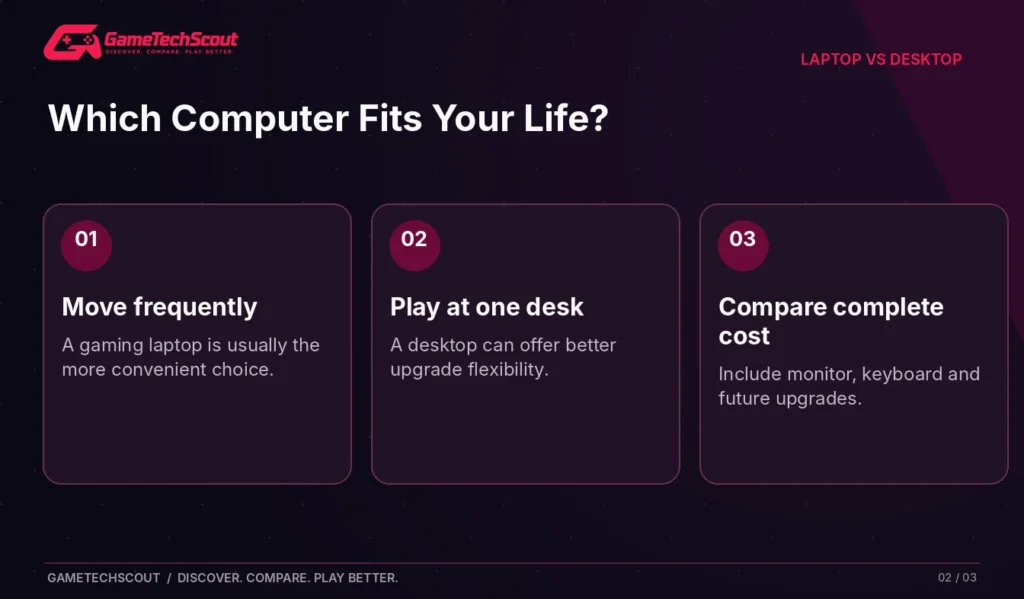
For many students, yes—but the best student gaming laptop is not automatically the one with the highest GPU.
Consider the full day: morning lectures, web research, video calls, coding, and commuting. You need a comfortable keyboard, a reliable webcam, manageable weight, and acceptable productivity battery life.
If your laptop will be on a lecture desk for hours, a slimmer 14-inch gaming machine may be more useful than a bulky 18-inch desktop replacement. Our best compact gaming laptop recommendations explain the different form factors available.
If you own a lightweight school laptop already and mostly game at home, buying a separate gaming desktop could make more sense than replacing a perfectly usable laptop.
A Student Checklist
- Can you comfortably carry the computer and charger every day?
- Will it last through a normal class session in its efficient power mode?
- Does it have enough RAM for your coursework and games?
- Will fans be distracting in a library or classroom?
- Does the warranty cover your country and likely usage?
Is a Gaming Laptop Worth It for Competitive Gaming?
Competitive gaming rewards consistent frame rates, low input latency, and a responsive display. Both desktops and laptops can meet those needs.
A midrange laptop with a capable GPU and high-refresh screen may be enough for many esports titles. But if you compete in one fixed space and care about maximum frame-rate consistency, a desktop may offer better cooling flexibility and easier peripheral upgrades.
Remember that a 240Hz display does not create 240 FPS. You need hardware and game settings capable of delivering the frame rate. Test results and 1% lows are more useful than a flashy refresh-rate badge.
How Much Should You Spend? Compare Total Ownership Costs
Your decision shouldn’t end at the laptop or tower price tag.
What Belongs in the Budget?
| Cost item | Laptop buyer | Desktop buyer |
|---|---|---|
| Main computer | Laptop | Tower or prebuilt PC |
| Display | Included | Usually separate |
| Keyboard/trackpad | Included | Usually separate |
| Mouse or controller | Often added | Often added |
| Extra storage | Optional | Optional |
| Repairs and upgrades | Sometimes proprietary | Often more modular |
| Portability accessories | Sleeve, charger | Usually not applicable |
A $1,200 laptop and a $1,200 tower aren’t a complete apples-to-apples comparison if the desktop buyer must spend additional money on a monitor and peripherals. Likewise, if you already own a good monitor, keyboard, and mouse, the desktop may have an advantage.
Think About the Next Three Years, Not Only Checkout Day
Ask whether you’ll likely upgrade the GPU, replace storage, move homes, or need a computer for school and work. The cheaper purchase today is not necessarily the better ownership decision over time.
If gaming PC prices or configurations feel confusing, our used gaming desktop comparison can help you plan your options.
Who Should Buy a Gaming Laptop—and Who Shouldn’t?
Choose a gaming laptop if you:
- Need gaming and everyday computing in multiple locations.
- Have limited space for a permanent gaming desk.
- Want a complete system without buying a separate display right away.
- Value the ability to connect external peripherals at home and unplug for travel.
Choose a desktop if you:
- Play almost exclusively at one location.
- Want easier GPU replacements and broad hardware customization.
- Prioritize sustained cooling, serviceability, or maximum performance per dollar.
- Already own a monitor and comfortable peripherals.
There is a middle ground: a gaming laptop connected to a monitor and peripherals at home. This can be convenient, but budget for those extras and remember that the internal GPU remains mostly fixed.
Mistakes That Make Gaming Laptops Feel Like Bad Value
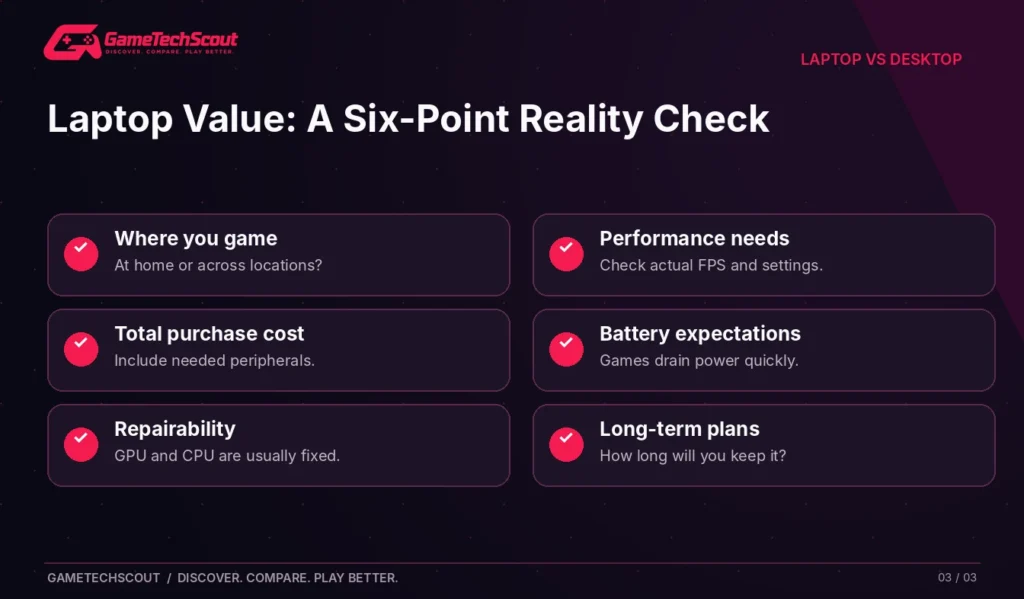
Buying the wrong form factor: A heavy laptop you never move gives up part of its main advantage.
Ignoring GPU power limits: Similar model names can hide different performance levels.
Confusing light-use battery claims with gaming runtime: Read workload-specific tests.
Assuming every laptop can be upgraded: Check whether RAM is soldered and SSD slots are accessible.
Overspending on premium RGB and branding: A better screen, more RAM, or quieter cooling may matter more.
Skipping the desktop comparison: If you never travel, a desktop may better fit the purchase.
For a broader laptop buying framework, visit our gaming laptop brand comparison to understand what different manufacturers emphasize.
Frequently Asked Questions
Are Gaming Laptops Worth It in 2026?
Yes, when portability and all-in-one convenience matter to you. If performance-per-dollar and upgrades are your only priorities, compare desktops carefully before buying.
Are Gaming Laptops Worse Than Desktops?
Not inherently. Many are powerful gaming computers, but desktops usually offer more hardware flexibility and room for cooling.
Do Gaming Laptops Last Several Years?
They can, depending on quality, maintenance, game requirements, and the performance level you expect. Keep vents clean and plan for limited GPU upgrade options.
Are Gaming Laptops Good for College?
They can be great for students who also game, provided battery life, noise, size, and weight suit their daily schedule.
Can You Play Games While a Gaming Laptop Is Unplugged?
Yes, but expect reduced performance and shorter runtime in demanding titles. Many systems limit dedicated-GPU power when on battery.
Is a Gaming Laptop Worth It if You Already Have a Desktop?
Only if you need portable gaming or a second computer for work and school. Otherwise, an upgrade to the existing desktop may be better value.
Should I Buy a $1,000 Gaming Laptop or Build a Desktop?
Compare actual available systems and the peripherals you already own. A laptop includes a display and keyboard; a desktop may offer stronger upgrade options and sustained performance.
Conclusion: Buy for Your Life, Not the Hype
Gaming laptops are worth it when their portability changes how you use a computer. They give you serious gaming capability in a convenient all-in-one package, and that flexibility is valuable.
But if you mostly play at one desk, want to upgrade your GPU later, and don’t need a built-in screen, a gaming desktop may make better financial and practical sense.
Before purchasing, write down where you use your computer, which games you play, which peripherals you own, and how long you plan to keep the machine. Then compare actual prices and independent reviews instead of relying on a brand promise.
If you choose the portable route, use our gaming laptops under $1,000 guide for configurations to investigate. If you prefer a fixed setup, start with a desktop build that suits your games and budget.
Would you rather own a gaming laptop or a desktop in 2026? Tell us how you game in the GameTechScout comments.
Editorial note: This guide provides research-based purchasing advice, not hands-on comparisons performed by GameTechScout. Individual laptop and desktop prices, performance, and warranty terms vary.

1 Comment