

Table of Contents
You find two gaming laptops that look almost identical. Both have a fast screen, 16GB of memory, and a familiar NVIDIA badge. The first offers an RTX 5050 and costs less; the second promises an RTX 5060. Is the upgrade worth paying for, or would that money be better spent on a bigger SSD, a better display, or simply staying in your pocket?
The RTX 5050 vs RTX 5060 laptop decision matters because a gaming laptop is a complete system, not just a graphics chip. GPU power limits, cooling, CPU choice, memory configuration, and price can change the answer. This guide breaks down NVIDIA’s published specifications, uses independently tested laptops to explain performance, and gives you a practical way to choose without relying on marketing promises.
Quick verdict: The RTX 5060 is usually the stronger choice for demanding games if the price premium is reasonable and the laptop has competent cooling. An RTX 5050 machine can be the smarter purchase for 1080p gaming if it saves meaningful money or offers a better overall configuration.
RTX 5050 vs RTX 5060 Laptop: Specifications Compared
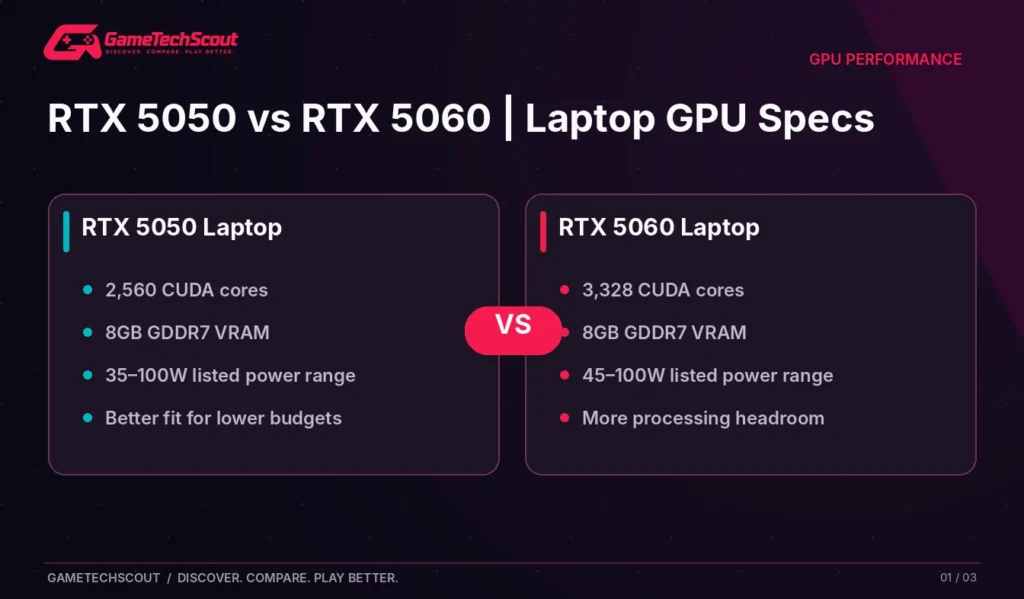
Both GPUs belong to NVIDIA’s RTX 50-series laptop family and use the Blackwell architecture. NVIDIA’s official RTX laptop specification table lists these differences:
| Specification | RTX 5050 Laptop GPU | RTX 5060 Laptop GPU |
|---|---|---|
| CUDA cores | 2,560 | 3,328 |
| Standard memory | 8GB GDDR7 | 8GB GDDR7 |
| Memory interface | 128-bit | 128-bit |
| Listed memory bandwidth | 384 GB/s | 384 GB/s |
| Listed GPU power range | 35–100W | 45–100W |
| Architecture | Blackwell | Blackwell |
The RTX 5060 has 30% more CUDA cores on paper. That does not mean every RTX 5060 laptop runs games 30% faster. GPU frequency, power consumption, game engine, laptop thermals, and CPU performance all affect real-world results.
Does the RTX 5060 Have More VRAM?
Not in NVIDIA’s standard laptop configurations shown above: both have 8GB of GDDR7 memory. That makes the comparison different from a situation where the more expensive GPU also doubles video memory.
Eight gigabytes is useful for many 1080p games, but it doesn’t eliminate texture-memory pressure in demanding titles. Ultra texture packs, high resolutions, and ray tracing can still push beyond what a budget system handles comfortably. Buying a 5060 does not automatically solve every VRAM limitation.
What About Ray Tracing and DLSS?
Both GPUs support NVIDIA’s current RTX technologies, including DLSS features in supported titles. The faster 5060 generally has more room for demanding effects, but frame generation should not be confused with native rendering performance. If a chart includes generated frames, look for the original rendered frame rate and input responsiveness as well.
Real Gaming Benchmarks: What Independent Tests Show
Comparisons between different laptops are tricky, so it helps when a reviewer tests machines built around similar configurations. In PC Gamer’s Acer Nitro V 15 review, the publication reported results for Nitro V 15 laptops using RTX 5050 and RTX 5060 graphics with the same Core i7-13620H CPU family.
| Tested game and setting | Nitro V 15 RTX 5050 (75W) | Nitro V 15 RTX 5060 (85W) |
|---|---|---|
| Cyberpunk 2077, 1080p, RT Ultra, Quality upscaling + 2× frame generation | 55 FPS | 78 FPS |
| Black Myth: Wukong benchmark, 1080p High, Quality upscaling | 50 FPS | 85 FPS |
| F1 24, 1080p Ultra High, Quality upscaling + 2× frame generation | 82 FPS | 112 FPS |
Source: PC Gamer’s published testing. Results apply to the specific tested laptops and settings, not every RTX 5050 or 5060 model. The different 75W and 85W GPU limits also mean this is not a watt-for-watt comparison.
The gap is substantial in this test set. But it is also a reminder to read the small print: the machines weren’t configured to identical GPU wattages, and some results include frame generation.
Why One RTX 5050 Can Beat Another
A separate RTX 5050 laptop with a higher power allowance and stronger cooling might behave differently. For example, ASUS publishes TUF Gaming A14 configurations rated up to 105W including Dynamic Boost. The Nitro V 15 reviewed by PC Gamer used a 75W RTX 5050. Comparing these laptops by the graphics-card name alone would ignore an important variable.
Before choosing, find the manufacturer’s exact SKU and look for independent tests of the same configuration. A thin chassis with a high-end-sounding GPU is not necessarily a better gaming purchase than a less glamorous laptop that sustains its performance.
Which GPU Is Better for 1080p Gaming?
For a budget gaming laptop with a 1080p or 1200p display, the RTX 5050 deserves consideration. Competitive games, older single-player releases, and many modern titles at reasonable settings are its natural territory.
The RTX 5060 buys you additional headroom. That can help when you want higher presets, fewer compromises in demanding games, or more time before your preferred games require substantially reduced settings.
Competitive Games
If most of your time goes into Valorant, Rocket League, League of Legends, or other less graphically intense games, a strong CPU, comfortable keyboard, responsive display, and stable cooling may matter more than upgrading from the 5050 to the 5060. Avoid paying extra for graphics performance you won’t use.
Demanding Single-Player Games
For Cyberpunk 2077, Black Myth: Wukong, and similarly demanding titles, the extra graphics performance of the RTX 5060 becomes more attractive. You may still need upscaling, sensible settings, and selective ray tracing, but the performance buffer helps.
The Settings That Matter Most
Instead of immediately selecting Ultra, start with a high or medium preset, then adjust texture quality, shadows, volumetrics, and ray tracing. Keep an eye on both average FPS and 1% lows. Consistent frame pacing often feels better than a fluctuating high average.
How Much More Should You Pay for an RTX 5060 Laptop?
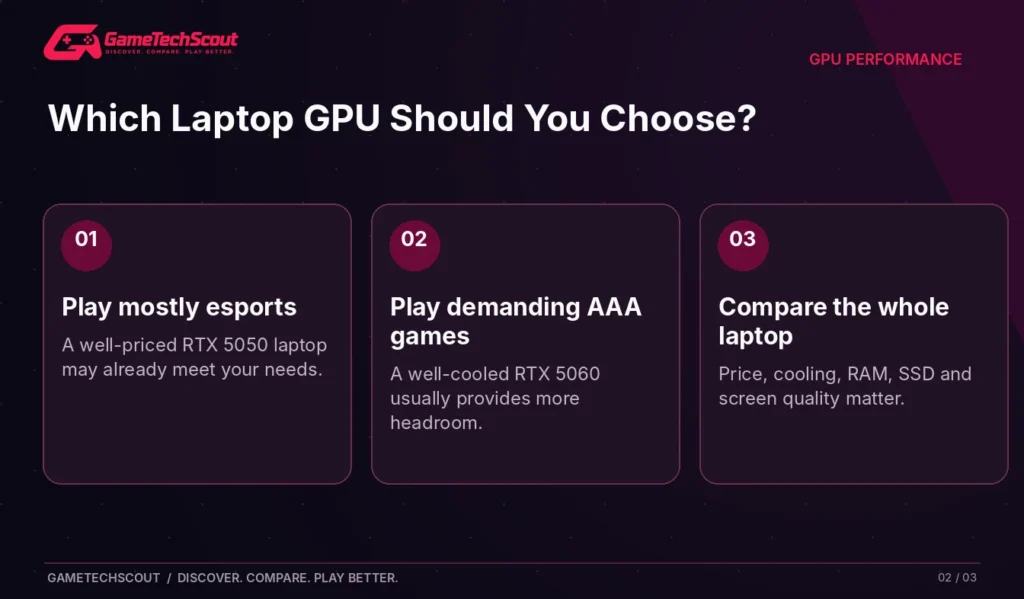
There is no universal acceptable premium because laptop deals change quickly. Compare two complete machines rather than comparing GPU prices in isolation.
For example, imagine Laptop A has an RTX 5050, 16GB dual-channel RAM, a 1TB SSD, and a good 165Hz screen. Laptop B has an RTX 5060 but only 8GB RAM, a 512GB SSD, and a visibly weaker display. The second machine isn’t automatically the better buy.
Use this decision table:
| Your buying situation | Better direction |
|---|---|
| You mainly play esports at 1080p | Consider the cheaper RTX 5050 system |
| You want demanding AAA games and ray tracing | Favor a well-cooled RTX 5060 |
| RTX 5060 price increase is small | Usually worth investigating the upgrade |
| RTX 5050 laptop has substantially better display, RAM, and storage | Compare total value carefully |
| Both laptops have weak cooling or limited memory | Look at other configurations |
If you’re shopping with a hard budget ceiling, our gaming laptops under $1,000 guide explains how to compare the whole machine rather than shopping by GPU badge.
Check GPU Wattage, Cooling, and Laptop Configuration
GPU power limits are one of the easiest details to miss on a retailer page. NVIDIA lists broad allowable power ranges because laptop manufacturers can prioritize thinness, noise, temperature, or speed differently.
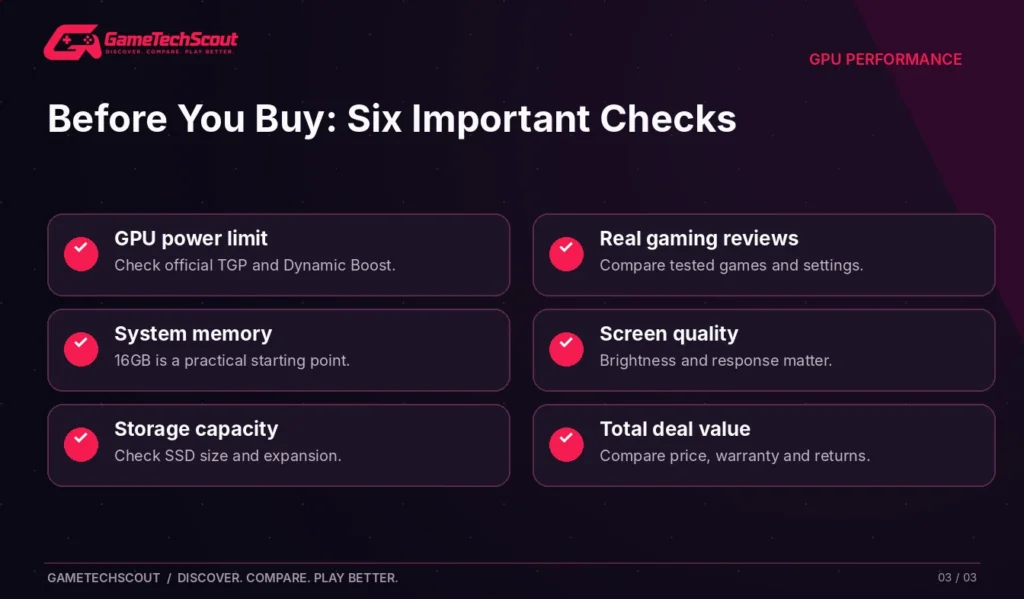
Before purchasing, check:
- The manufacturer’s exact product number and GPU wattage.
- Whether its published wattage includes Dynamic Boost.
- Measured gaming performance in independent reviews.
- Fan noise and temperatures during longer sessions.
- RAM capacity, memory channel arrangement, and storage.
- Display resolution and refresh rate.
A high-refresh panel is useful only when the laptop can deliver enough frames to benefit from it. And a powerful GPU may feel constrained if the CPU overheats or the system is short on memory.
Our gaming laptop configuration guide explains which parts you can choose when ordering and which are difficult or impossible to upgrade afterward.
RTX 5050 vs RTX 5060 for Students and Creators
If you use the laptop for classes, coding, Photoshop, or occasional video editing as well as gaming, the decision becomes broader.
A faster GPU can help supported creative applications, but CPU, system memory, screen color quality, and SSD space may have a greater impact on your daily workflow. Both GPUs offer 8GB of VRAM in the standard configuration, so don’t assume the 5060 has extra memory for every creator workload.
For a student, a practical battery mode and portable charger may be more valuable than an extra few frames per second. For a creator rendering complex scenes regularly, the 5060 may save time—but only if the application takes advantage of that GPU and the laptop sustains performance.
If you care more about the machine’s overall form factor, see our 2026 gaming laptop overview for the wider buying criteria.
Common Mistakes in an RTX 5050 vs RTX 5060 Laptop Comparison
- Assuming equal GPU names mean equal speed. Cooling and wattage vary.
- Treating frame generation as native FPS. Separate rendering speed from displayed generated frames.
- Ignoring screen quality. A dim screen can undermine a powerful laptop.
- Buying 8GB system RAM to afford a 5060. The whole laptop must support your games.
- Comparing prices without exact model numbers. Stores sometimes show different SKUs under near-identical names.
- Ignoring return policies. A laptop with loud fans or excessive heat can be difficult to judge from a specifications page.
Frequently Asked Questions
Is an RTX 5060 Laptop Much Better Than an RTX 5050 Laptop?
It can be noticeably faster, particularly in demanding games, but the difference varies by GPU wattage, cooling, and settings. Independent laptop reviews provide better evidence than a fixed percentage claim.
Do the RTX 5050 and RTX 5060 Laptop GPUs Both Have 8GB VRAM?
Yes, NVIDIA lists 8GB GDDR7 standard configurations for both. Check the exact product listing for any model-specific details.
Is an RTX 5050 Laptop Good Enough for Fortnite and Valorant?
For many players, yes. Performance will still depend on the CPU, screen resolution, memory, and settings.
Is the RTX 5060 Laptop Better for 1440p Gaming?
The additional graphics resources can be useful at 1440p or 1600p, although demanding games may still require upscaling or reduced settings.
Does a High-Wattage RTX 5050 Beat a Low-Wattage RTX 5060?
It depends on the laptop and game. Overlapping power ranges make head-to-head laptop benchmarks essential; don’t assume either outcome solely from power figures.
Should I Buy an RTX 5050 Now or Save for an RTX 5060?
Save for the 5060 if demanding AAA games are your priority and the total price difference remains manageable. Choose the better-value 5050 laptop if gaming is mostly esports or the 5050 machine has clearly stronger overall features.
Conclusion: Which GPU Should You Buy?
If you’re choosing between two otherwise comparable gaming laptops, the RTX 5060 is our preferred option for demanding gaming, provided the extra cost is reasonable. Its additional processing resources and tested performance headroom make it a useful step up.
But an RTX 5050 laptop is not a bad purchase. If it has a better screen, enough RAM, proper cooling, a usable SSD, and a meaningful discount, it may be the machine you enjoy more.
Before checkout, compare the exact SKUs, read a review of both configurations, and decide which games you expect to play most. Then explore GameTechScout’s affordable gaming laptop picks for practical model examples.
Which two laptops are on your shortlist? Share their exact model numbers and prices in the comments—we’d love to see which gives you the better deal.
Editorial note: This comparison uses manufacturer specifications and third-party published benchmarks. GameTechScout has not independently tested the GPUs or laptops discussed. Availability and pricing may change.



4 Comments