
Table of Contents
You’re looking at two gaming laptops, and the specs sound almost identical. Both have a sharp display, a recent processor, 16GB or 32GB of RAM, and NVIDIA RTX 50-series graphics. The RTX 5070 model costs more, but does the graphics upgrade justify the difference? Or would your budget buy a better overall experience in a well-equipped RTX 5060 machine?
The RTX 5060 vs RTX 5070 laptop comparison matters because the GPU name tells only part of the story. The 5070 has more processing cores, but both GPUs commonly use 8GB GDDR7 memory, and laptop power limits vary. A thin gaming laptop can behave differently from a thicker, better-cooled model even with the same graphics chip.
Here is a practical, evidence-based way to compare the specifications, gaming expectations and real purchase value.
RTX 5060 vs RTX 5070 Laptop: Specifications
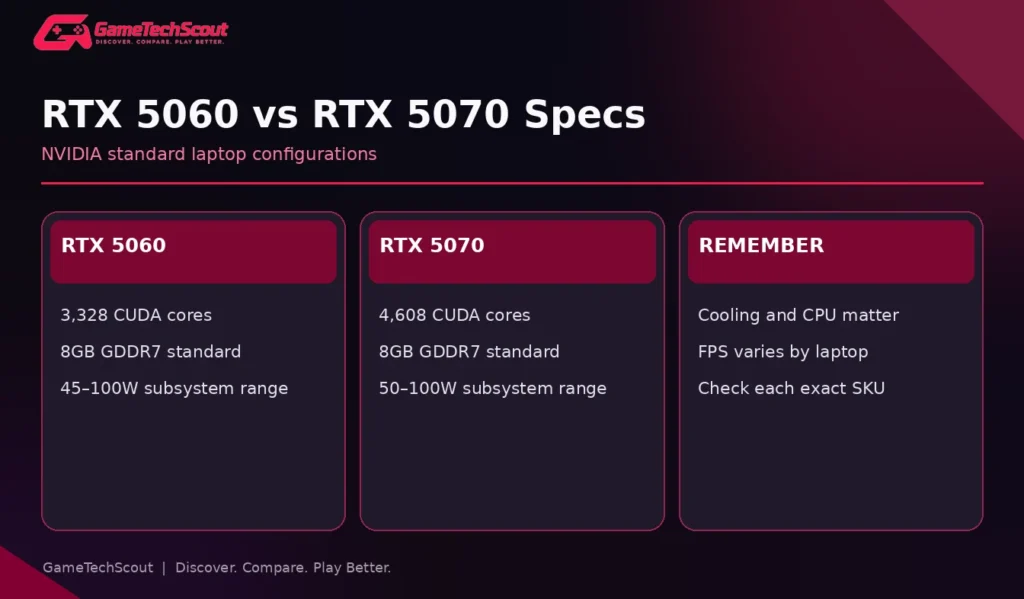
| NVIDIA specification | RTX 5060 Laptop | RTX 5070 Laptop |
|---|---|---|
| CUDA cores | 3,328 | 4,608 |
| Standard VRAM | 8GB GDDR7 | 8GB GDDR7 |
| Standard memory interface | 128-bit | 128-bit |
| Listed bandwidth | 384GB/s | 384GB/s |
| Published subsystem-power range | 45–100W | 50–100W |
| Architecture | Blackwell | Blackwell |
These figures come from NVIDIA’s official GeForce RTX 50-series laptop specifications. The GPU power table describes NVIDIA’s published subsystem-power range; a particular manufacturer may report configured TGP including Dynamic Boost using a different naming convention. Read the exact SKU documentation.
How Much More Hardware Does the RTX 5070 Have?
The RTX 5070 lists 4,608 CUDA cores compared with 3,328 for the RTX 5060. That’s about 38% more on paper. It is not a guarantee of 38% higher FPS. Game engines, clocks, power budgets and cooling affect the delivered performance, and some demanding titles also encounter limits outside raw shader throughput.
The 5070 is usually the stronger target when two laptops are otherwise very similar and priced reasonably close. But if the 5070 model sacrifices screen quality, RAM, SSD capacity or cooling, the equation becomes more complicated.
Does the RTX 5070 Laptop Have More VRAM?
NVIDIA lists 8GB GDDR7 as the standard memory configuration for both GPUs in its published table. Some partner configurations may list different memory capacities, so verify the precise laptop and its official datasheet rather than relying on an assumption. A faster GPU does not automatically grant enough memory for every ultra-resolution texture pack.
This is important when shopping for 1600p panels. A game may run faster on the RTX 5070 but still require texture and ray-tracing compromises because its frame buffer is limited.
Is RTX 5070 Laptop Performance Noticeably Better?
In many graphics-heavy situations the 5070’s additional cores should provide headroom, assuming comparable power, CPU and thermal capacity. Yet publishing one universal percentage would be misleading without a controlled set of laptop-to-laptop game tests.
Independent Tom’s Hardware gaming laptop testing and PC Gamer’s 2026 laptop testing explain the role of exact configurations, sustained thermals and benchmark settings. Check their measured FPS results for the same games and resolutions, and separate native FPS from upscaled and frame-generated results.
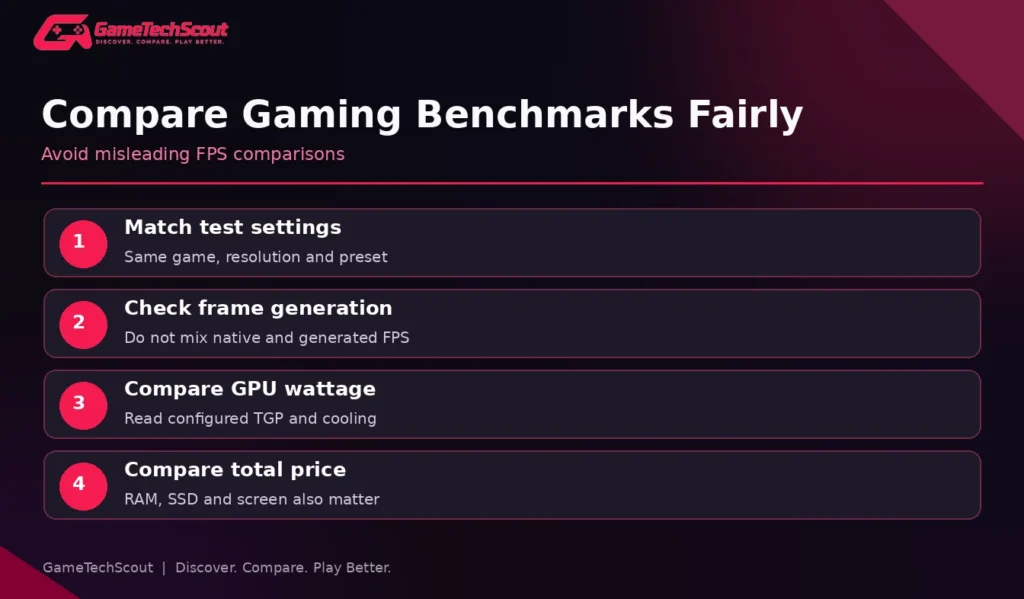
Three Ways to Compare Reviews Correctly
- Match resolution and graphics presets, including ray tracing.
- Note whether DLSS or frame generation is enabled and how it is configured.
- Compare GPU wattage, CPU and memory so the test systems are reasonably similar.
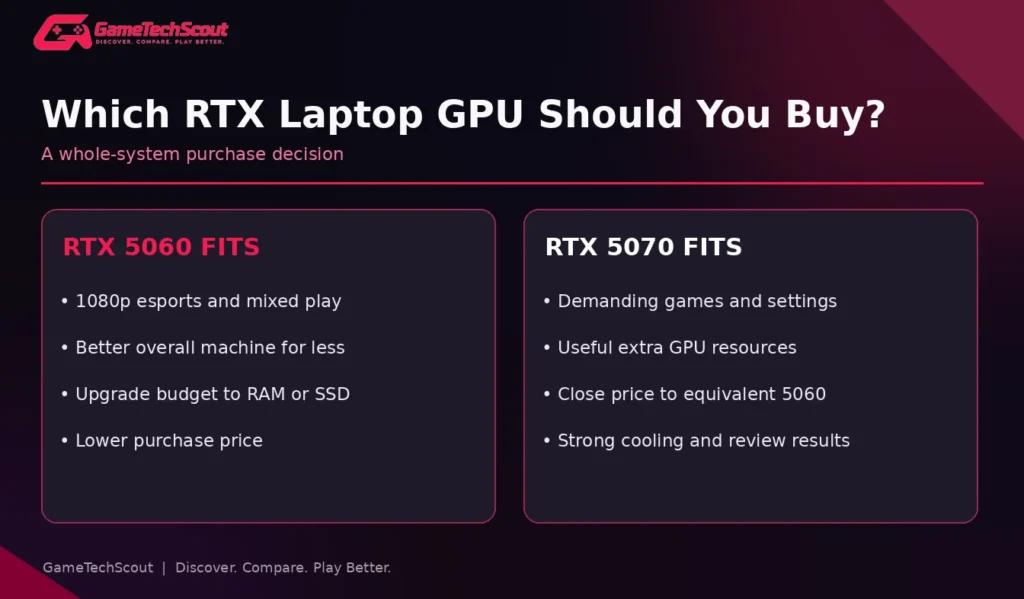
A lower-priced 5060 laptop with 100W graphics power, good cooling, and dual-channel memory can be a better ownership choice than a premium-looking 5070 model with a weak display, restricted power and insufficient RAM.
Don’t Confuse Generated Frames With Native Rendering
Frame generation can improve displayed motion in supported games, but the underlying rendered frame rate and input responsiveness still matter. A reviewer quoting 100 FPS with frame generation enabled is not reporting the same thing as 100 native rendered frames. Look for the testing methodology, particularly if you play competitive games.
1080p Gaming: Which GPU Makes Sense?
For 1080p or 1200p gaming, an RTX 5060 is a strong starting point for many players. Fast esports titles can be more sensitive to CPU performance, while newer AAA games may rely more on graphics horsepower and careful settings.
If your favorite games are Valorant, Rocket League, League of Legends or similar titles, extra GPU spending may deliver less practical benefit than a better display, comfortable keyboard and quieter fans. A 165Hz screen also doesn’t require a 5070 simply because it refreshes frequently; what matters is whether the specific game can sustain useful frame rates.
Choose the 5070 when you play demanding single-player games at higher settings, care about ray-traced effects, and have measured evidence that the upgrade meaningfully improves the exact games you play.
What About 1440p or 1600p Gaming?
At higher resolution, the RTX 5070’s resources become more attractive. However, neither 8GB GPU should be presented as universally suitable for maximum textures and heavy ray tracing in every new title. Upscaling, sensible texture budgets, and optimized settings may be necessary.
If a laptop’s 1600p OLED screen costs significantly more, think about whether you are paying for image quality, GPU headroom or both. Our best 14-inch gaming laptop guide illustrates why compact gaming designs need extra attention to cooling and power limits.
GPU TGP and Cooling: The Hidden Comparison
The manufacturer determines the graphics power configuration within the laptop’s design limits. A GPU with more cores can be held back by limited power or heat, and two 5070 laptops may be far from equal.
For example, ASUS’s TUF Gaming 16 (2026) specification list includes versions with either RTX 5060 or RTX 5070 rated at 85W including Dynamic Boost. That is more useful detail than a retailer headline promising simply “RTX graphics.”
PC Gamer’s discussion of why GPU TGP matters also illustrates how overlapping power ranges can undermine rankings made solely by GPU name.
Find These Five Specifications Before Buying
- Exact GPU variant and memory configuration.
- Configured GPU TGP and whether the number includes Dynamic Boost.
- CPU model and any sustained performance behavior.
- Installed RAM, channel arrangement and storage configuration.
- The exact display resolution and refresh rate.
An RTX 5070 sticker is not a substitute for this information. If a retailer cannot show the exact manufacturer’s SKU, ask before ordering.
RTX 5060 vs RTX 5070 Price and Value
The strongest buying strategy is to compare complete systems at their current checkout prices. We deliberately avoid presenting an unverified universal retail price, because discounts and configurations change frequently.
| Situation | Direction to consider |
|---|---|
| RTX 5070 costs only a modest amount more and all else is equal | Favor the 5070 |
| RTX 5060 has markedly better display, SSD or build for less | Compare total value; 5060 may win |
| Mostly esports at 1080p | RTX 5060 often makes sense |
| Demanding games at 1600p | Investigate RTX 5070 with proven cooling |
| Both options have 8GB system RAM | Look for better-configured alternatives |
| You need more than standard 8GB VRAM | Consider a different GPU tier/configuration |
A Useful Example Without Invented Deals
Imagine one laptop costs $1,100 with an RTX 5060, 32GB RAM and a 1TB SSD. Another costs $1,350 with an RTX 5070, 16GB RAM and a 512GB SSD. Those are hypothetical prices for illustration, not live product offers. The 5070 may run some games faster, but the 5060 buyer gets more memory and storage for less money. Your own games and upgrade plans decide which is better.
For more budget-limited comparisons, start with GameTechScout’s gaming laptops under $1,000 guide. That article targets a strict spending cap; this article targets a specific GPU choice.
RTX 5060 vs RTX 5070 for Streaming and Creative Work
Both GPUs can accelerate supported content-creation applications, but the right choice depends on the software. In graphics-intensive renders, the 5070’s greater processing resources may help. For large editing projects, RAM, CPU throughput, storage speed and media-engine support may matter just as much.
Don’t assume that every streaming task needs a more expensive graphics card. If you’re streaming esports, a capable CPU, stable network connection, enough memory and the supported video encoder can be more important than a small GPU upgrade.
Battery Life and Portability
More powerful graphics options don’t guarantee worse everyday battery life, because idle power, hybrid graphics, battery capacity and screen efficiency all matter. Under heavy gaming loads, both GPUs can drain a laptop quickly. Compare independent battery tests rather than estimating runtime from GPU tier alone.
If you want desktop-level performance without worrying much about portability, larger premium systems may make sense; see our high-end gaming laptops comparison.
RTX 5060 vs RTX 5070 vs RTX 5050: Where Is the Value?
The previous step down matters too. Our existing RTX 5050 vs RTX 5060 laptop guide already covers that comparison. In a strict budget, the 5050 may be enough for lighter 1080p gaming. The 5060 is the middle option; the 5070 offers additional processing resources. Each step should be justified by complete laptop quality and the current premium.
Common Buying Mistakes
- Treating CUDA-core percentages as promised FPS gains.
- Assuming an RTX 5070 automatically has more standard VRAM than an RTX 5060.
- Comparing frame-generated FPS with native FPS without noting the difference.
- Overlooking TGP, fan noise and sustained thermals.
- Sacrificing RAM and SSD capacity to afford the bigger GPU badge.
- Ignoring a dim screen or uncomfortable keyboard that you’ll use every day.
- Choosing a thin premium chassis without reviewing its gaming performance.
Frequently Asked Questions
Is RTX 5070 Laptop Better Than RTX 5060 Laptop?
It generally offers more GPU processing resources. Whether it is a better purchase depends on power limits, the exact laptop, game performance and price.
How Much Faster Is RTX 5070 Laptop Than RTX 5060?
There is no universal percentage. Compare independent game benchmarks at matching settings and account for differences in CPU, GPU wattage and cooling.
Does RTX 5070 Laptop Have 12GB VRAM?
NVIDIA’s standard published RTX 5070 Laptop configuration lists 8GB GDDR7, though some partner configurations may differ. Verify the exact SKU instead of assuming a memory size.
Is RTX 5060 Enough for 1080p Gaming?
For many games and sensible settings, yes. The CPU, display and cooling still affect the final experience.
Which Is Better for 1440p Gaming?
A well-cooled RTX 5070 configuration can provide more headroom, but both GPUs may require adjusted settings in demanding titles.
Is the RTX 5070 Laptop Worth the Extra Money?
Only if the real performance benefit and overall configuration justify the premium. A better-equipped RTX 5060 laptop can offer stronger total value.
Conclusion: Which Laptop GPU Should You Buy?
Choose an RTX 5060 laptop when you want a capable 1080p gaming machine, a balanced budget and a stronger total configuration. Choose an RTX 5070 laptop when you value extra GPU headroom, play demanding games and can justify the added price with credible benchmarks.
Before buying, note the exact model numbers, GPU wattages, screens and RAM, and compare at least two trustworthy reviews. Which two laptops are on your shortlist? Post their specifications and prices in GameTechScout’s comments.
Editorial disclosure: This guide is based on NVIDIA documentation, manufacturer specifications and independent published research. No FPS results are invented or represented as GameTechScout hands-on tests. Retail pricing and model availability change.