
Table of Contents
You’ve found a gaming laptop with a powerful NVIDIA graphics card, a fast display, and enough RAM for your favorite games. The specifications look perfect. Then you notice another laptop from a completely different brand offering almost the same hardware—and a very different price. Should you trust Lenovo, ASUS, MSI, Razer, or Alienware? Is the more expensive brand actually better? And which manufacturer will give you the best gaming experience for your money? These are important questions because choosing a gaming laptop involves more than selecting a graphics card.
The best gaming laptop brands offer different combinations of performance, cooling, displays, design, portability, upgradeability, and customer support. A laptop that works perfectly for a competitive gamer might be an expensive mistake for a student who needs something lightweight.
In this guide, you’ll discover seven gaming laptop brands worth considering in 2026, what each manufacturer does particularly well, and the compromises to investigate before buying.
We’ll also explain how to compare laptops from different brands without getting distracted by marketing claims.
Best Gaming Laptop Brands in 2026: Quick Comparison
There isn’t one manufacturer that makes the best laptop for every gamer. The following comparison identifies each brand’s strongest buying proposition.
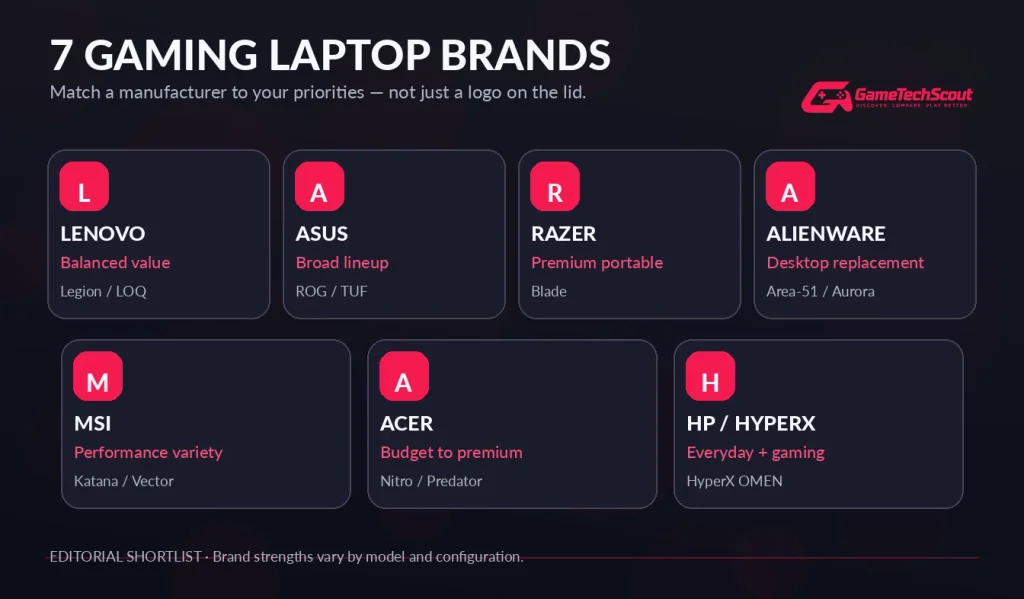
| Gaming laptop brand | Best for | Popular gaming families | Main consideration |
|---|---|---|---|
| Lenovo | Balanced performance and value | Legion, LOQ | RAM configurations, cooling |
| ASUS | Wide selection of gaming styles | ROG, TUF Gaming | Large price differences |
| Razer | Luxury build and portability | Blade 14, 16, 18 | Premium prices |
| Alienware | Powerful desktop replacements | Area-51, Aurora | Weight and cost |
| MSI | Performance-focused configurations | Katana, Vector, Raider, Titan | Model quality varies |
| Acer | Affordable and midrange gaming | Nitro, Predator | Display and thermal compromises |
| HP / HyperX | Gaming and productivity balance | HyperX OMEN | Exact configuration and pricing |
Our overall recommendation: Start by comparing Lenovo Legion and ASUS ROG or TUF models, then evaluate other manufacturers according to your budget and priorities.
These are editorial recommendations informed by published testing and product specifications, not a universal reliability ranking.
1. Lenovo — Best Gaming Laptop Brand for Balanced Value
If you want a gaming laptop that performs well without automatically paying premium-brand prices, Lenovo deserves serious consideration.
The company offers two main gaming ranges: Legion and LOQ.
Legion machines generally target players looking for stronger displays, capable cooling, and more refined construction. LOQ models offer a more accessible entry point.
Why Lenovo Is Worth Considering
The Legion 5i illustrates Lenovo’s appeal.
An independently reviewed Gen 10 configuration combined an RTX 5060 Laptop GPU with a 15.1-inch OLED display running at 165Hz and a 2560 × 1600 resolution.
That combination can make the laptop attractive for gaming and everyday productivity.
However, PC Gamer’s September 2026 review also identified significant compromises: the tested unit used a single 16GB RAM module, ran hot under load, and had weak battery endurance.
It’s a reminder that a good laptop family can still contain configurations requiring extra attention.
Advantages
- Strong gaming-focused product range.
- Attractive OLED display options.
- Capable performance across several budgets.
- Useful connectivity and upgrade options on selected models.
Drawbacks
- Some configurations use less-than-ideal RAM arrangements.
- Gaming performance varies with cooling and power limits.
- Battery life can be disappointing.
Best for: Gamers who want a practical balance of performance, features, and price.
What to Check Before Buying a Lenovo Gaming Laptop
Verify the RAM configuration, GPU power limit, available SSD slots, and exact display panel.
A discounted Legion can be a better deal than a more expensive competitor, but compare complete specifications rather than the Lenovo name alone.
2. ASUS — Best Gaming Laptop Brand for Variety
ASUS stands out because it offers gaming laptops for dramatically different types of buyers.
You can choose a relatively affordable gaming machine, a portable premium laptop, or a powerful system designed around high frame rates.
Its gaming lineup includes:
- TUF Gaming: Value-focused gaming laptops.
- ROG Zephyrus: Premium, portable designs.
- ROG Strix: Performance-focused gaming systems.
- ROG Strix SCAR: Flagship enthusiast configurations.
What Makes ASUS Different?
The wide selection is its biggest advantage.
A TUF Gaming laptop can be a practical option for a first-time gamer, while a Zephyrus G16 targets buyers who want a thinner chassis, a premium display, and strong performance.
Independent reviews demonstrate that these categories are meaningfully different.
PC Gamer praised the TUF Gaming A16 in September 2026, while its August review of the 2026 Zephyrus G16 highlighted the machine’s excellent OLED screen and portable design but criticized its extremely high price.
Advantages
- Options covering multiple budgets.
- Strong display choices, including OLED.
- Portable and high-performance models.
- Extensive gaming features.
Drawbacks
- Premium ROG configurations can be expensive.
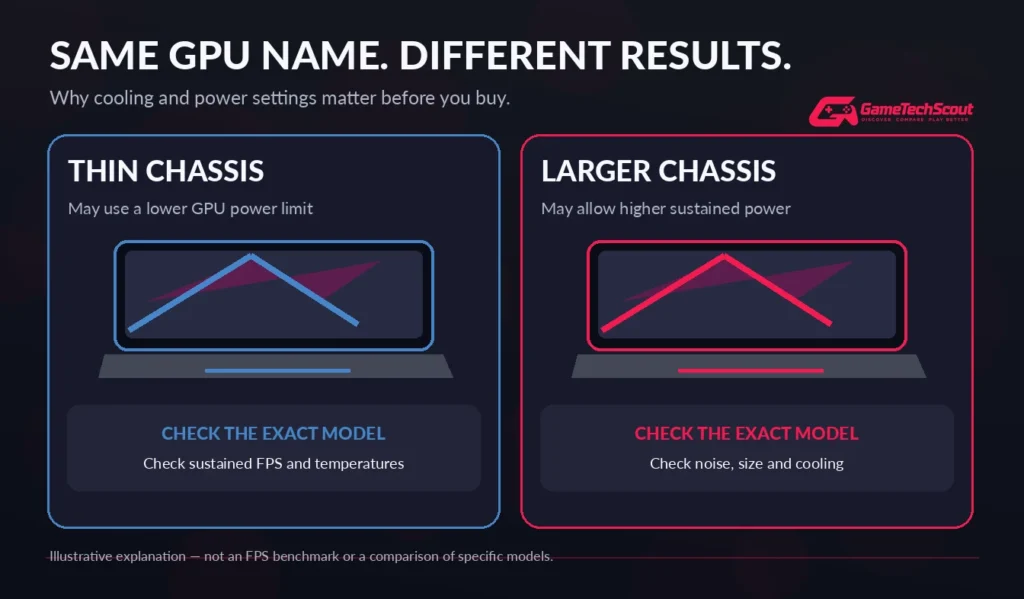
- Thin machines may have lower sustained GPU performance than larger competitors.
- Specifications vary considerably between series.
Best for: Buyers who want to compare several laptop styles within one brand.
ASUS ROG vs ASUS TUF: Which Is Better?
ROG generally offers more premium features and specialized configurations.
TUF Gaming focuses more on value.
But an expensive ROG laptop isn’t automatically the better purchase. If a TUF model has the GPU performance, display, and memory you need, paying more for premium materials may offer little practical benefit.
3. Razer — Best Premium Gaming Laptop Brand
If you want a gaming laptop that looks and feels like a luxury product, Razer is one of the first manufacturers to investigate.
Its Blade family is known for refined metal construction, relatively restrained styling, and powerful hardware.
Unlike some traditional gaming laptops, Blade models can fit comfortably into professional environments without looking like oversized gaming equipment.
What Makes Razer Blade Laptops Attractive?
The 2026 Blade 16 combines a slim design with high-end NVIDIA graphics options and a premium display.
Razer emphasizes portability, construction quality, and memory performance.
Independent reviewers have also praised the gaming capabilities of recent Blade machines.
However, those advantages come with an important drawback: cost.
When choosing between a Razer Blade and a thicker performance-focused laptop, you may be paying extra for design and portability rather than substantially higher frame rates.
Advantages
- Premium construction.
- Elegant, compact designs.
- High-quality display options.
- Powerful graphics configurations.
- Suitable for gaming and creative work.
Drawbacks
- Expensive compared with many similarly equipped competitors.
- Cooling space is limited in thinner models.
- Some components have limited upgradeability.
Best for: Gamers and creative professionals willing to pay more for premium materials and portability.
Is Razer Worth the Extra Money?
It can be if design, size, display quality, and construction matter to you.
But if you only care about maximum gaming performance per dollar, compare Lenovo Legion Pro, MSI Vector, or similarly equipped alternatives first.
4. Alienware — Best for Powerful Desktop-Replacement Gaming
Alienware, Dell’s gaming brand, is particularly attractive to players who want a large, powerful machine.
Its gaming laptops are often designed around high-performance components, striking chassis designs, and substantial displays.
The Area-51 family represents its enthusiast-oriented approach.
Why Choose an Alienware Laptop?
Large Alienware models provide room for powerful components and more substantial cooling systems.
That makes them worth considering if you play demanding AAA games, use external gaming monitors, or want a laptop to replace a desktop PC.
The Alienware 18 Area-51 appears among PC Gamer’s 2026 desktop-replacement recommendations.
Independent reviews also show that Alienware can provide a compelling gaming experience, although price and portability are recurring considerations.
Advantages
- Powerful configuration options.
- Large high-refresh-rate displays.
- Desktop-replacement designs.
- Gaming-focused features and connectivity.
Drawbacks
- Large models are difficult to carry regularly.
- Premium pricing.
- High-power configurations generate heat and fan noise.
- Battery gaming performance differs from plugged-in operation.
Best for: Gamers who primarily play at a desk but still want a computer they can move.
Alienware vs Lenovo: Which Should You Buy?
Choose Alienware if you particularly want its flagship design, large display, and gaming features.
Choose Lenovo when an equivalent Legion configuration provides similar performance at a lower total cost.
Compare independent benchmarks, repair support, and warranty terms for both exact models.
5. MSI — Best for Performance Variety
MSI offers one of the more extensive collections of gaming laptop families.
Its lineup covers different budgets and performance targets, including Katana, Vector, Raider, Stealth, and Titan systems.
That variety gives you numerous ways to prioritize performance.
Which MSI Series Should You Consider?
The Katana family is generally positioned toward value-focused gaming, while Vector and Raider machines target more demanding players.
Stealth laptops place greater emphasis on design and portability.
Titan systems occupy the premium desktop-replacement category.
However, MSI’s extensive lineup can make shopping confusing.
A model from one series may have a substantially different screen, cooling design, GPU configuration, and price from another MSI laptop.
Independent 2026 reviews illustrate these differences: PC Gamer gave the TUF Gaming A16 stronger praise than the MSI Katana 15 HX it reviewed in September, while its gaming-laptop recommendations also highlighted MSI Vector configurations.
Advantages
- Wide range of hardware choices.
- Strong high-performance options.
- Specialized gaming designs.
- Large-screen enthusiast models.
Drawbacks
- Entry-level configurations can involve noticeable compromises.
- Fans and temperatures vary by chassis.
- Model names don’t always make differences obvious.
Best for: Gamers who want many hardware combinations and are comfortable comparing specifications carefully.
6. Acer — Best for Budget-Friendly Gaming Choices
Acer is worth investigating when your priority is getting a dedicated gaming GPU at a competitive price.
Its gaming families include Nitro and Predator.
Nitro laptops usually serve entry-level and midrange buyers, while Predator machines offer more enthusiast-oriented hardware and features.
Are Acer Gaming Laptops Good?
They can be, particularly when discounts make them more affordable than similarly equipped alternatives.
Acer Nitro laptops often provide dedicated graphics cards and high-refresh-rate displays without relying on luxurious materials.
Predator machines can offer stronger processors, advanced displays, and premium configurations.
However, cooling and screen quality vary significantly.
PC Gamer’s 2026 review of the Predator Helios Neo 16S AI identified performance and power-delivery concerns, demonstrating why a premium-sounding series name is not enough to guarantee value.
Advantages
- Accessible gaming laptop options.
- Dedicated graphics configurations.
- High-refresh displays in several ranges.
- Budget and midrange alternatives.
Drawbacks
- Entry-level screen quality may be basic.
- Thermal behavior requires investigation.
- Build materials and upgradeability differ by model.
Best for: Budget-conscious buyers who compare exact specifications and take advantage of well-priced configurations.
7. HP / HyperX OMEN — Best for Gaming and Everyday Use
HP’s gaming laptops are another option if you want a computer that works for both entertainment and daily tasks.
In 2026, HP unified its gaming ecosystem under the HyperX name while retaining OMEN for gaming systems.
That means newer gaming laptops carry names such as HyperX OMEN 15, HyperX OMEN 16, and HyperX OMEN MAX 16.
What Makes HyperX OMEN Worth Considering?
The lineup offers a mix of performance-focused hardware and designs suitable for everyday use.
Certain HyperX OMEN MAX 16 configurations support high-end NVIDIA GPUs and OLED displays, while mainstream OMEN machines provide more accessible gaming options.
You also gain access to HP’s established PC ecosystem, although support quality, service availability, and warranty terms vary by country and product.
Advantages
- Gaming and productivity-oriented configurations.
- Premium display options.
- Mainstream and high-end hardware choices.
- Multiple screen sizes.
Drawbacks
- New and legacy product names can cause confusion.
- Prices vary considerably.
- Some thin configurations prioritize portability over peak performance.
Best for: Buyers looking for a versatile gaming computer that also handles studying, work, and multimedia.
Which Gaming Laptop Brand Should You Choose?
Rather than choosing by logo, start with your biggest priority.
| Your main priority | Brands to compare first |
|---|---|
| Best balance of price and gaming performance | Lenovo, ASUS |
| Affordable entry-level gaming | Acer, Lenovo LOQ, ASUS TUF |
| Premium portability | Razer, ASUS Zephyrus |
| Powerful desktop replacement | Alienware, MSI, Lenovo Legion Pro |
| Gaming and productivity | HP HyperX OMEN, Lenovo, ASUS |
| Enthusiast customization and configurations | MSI, Alienware |
This is a shopping shortlist, not a claim that every model from one brand is superior to every competing laptop.
What Matters More Than the Gaming Laptop Brand?
Even the best manufacturer can release a laptop with serious compromises.
Before purchasing, examine the complete configuration.
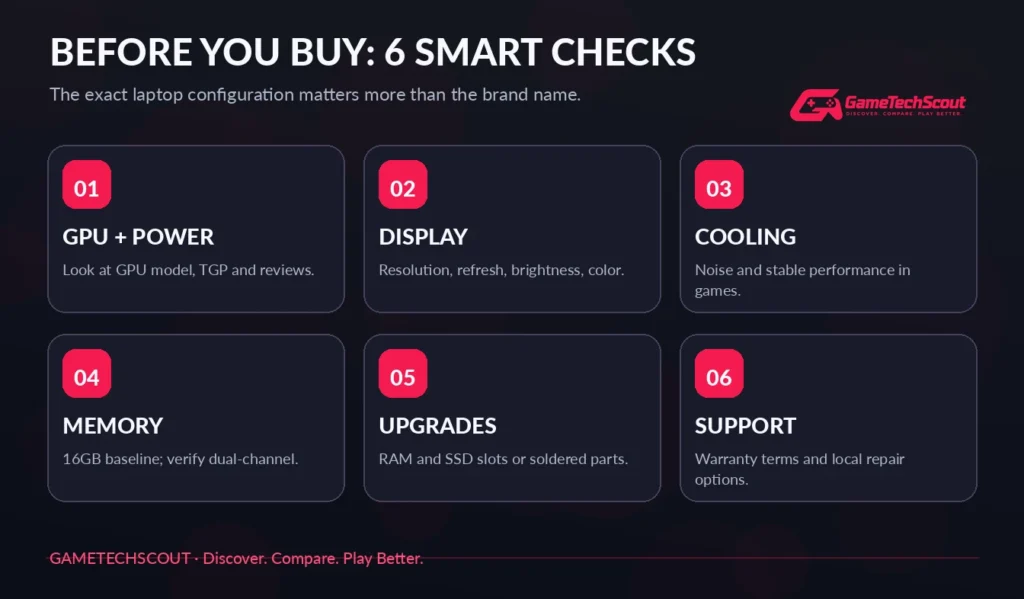
1. Graphics Card and GPU Power
A good graphics card is important, but the GPU model isn’t the whole story.
Two laptops equipped with an RTX 5060 can deliver different gaming results because of power limits, cooling, memory arrangements, and processor performance.
Always look for reviews of the exact model you’re considering.
2. Display Quality
A high refresh rate is useful, but it doesn’t tell you everything about the screen.
Compare:
- Resolution and screen size.
- Refresh rate and response behavior.
- Brightness and color coverage.
- IPS, OLED, or Mini-LED technology.
- Reflections and viewing comfort.
For many gamers, a capable 1080p or 1200p screen is sufficient, while 1440p or 1600p provides additional sharpness when the GPU can handle it.
3. Cooling and Fan Noise
A laptop may deliver impressive performance for a short test but slow down during extended gaming sessions.
Look for independent reviews showing sustained frame rates, temperature behavior, and noise measurements.
Why Cooling Matters More Than Marketing
A thicker laptop with effective cooling can sometimes outperform a thinner, more expensive machine using a higher-tier GPU.
That is why paying for the highest specification doesn’t guarantee the fastest gaming experience.
4. RAM and Storage
For most gaming laptop buyers in 2026, 16GB RAM is a practical baseline, while 32GB offers additional headroom.
A 1TB SSD is also attractive if you play several large games.
Check whether the memory is soldered, whether it runs in dual-channel mode, and whether extra SSD slots are available.
5. Warranty and Customer Support
The most reliable gaming laptop brand is difficult to identify from general opinions alone.
Support quality depends on the product, your country, repair arrangements, and warranty coverage.
Consumer Reports and other independent organizations publish useful laptop reliability and owner-satisfaction research. However, those findings shouldn’t be applied uncritically to every gaming model.
Before buying, confirm the warranty duration, repair process, accidental-damage coverage, and availability of replacement parts.
ASUS vs Lenovo vs MSI: Which Brand Is Better?
These three manufacturers frequently attract buyers searching for a high-performance gaming laptop without immediately choosing the most expensive option.
| Feature | ASUS | Lenovo | MSI |
|---|---|---|---|
| Affordable gaming | TUF Gaming | LOQ | Katana |
| Midrange options | TUF / ROG Strix | Legion | Vector / Crosshair |
| Premium systems | Zephyrus / SCAR | Legion Pro | Raider / Titan |
| Portable designs | Zephyrus | Selected Legion models | Stealth |
| Main shopping advantage | Wide selection | Balanced configurations | Hardware variety |
Choose ASUS when you want a particularly broad choice of portable, budget, and premium designs.
Choose Lenovo when you find a competitively priced Legion with the performance and screen quality you need.
Choose MSI when you’re looking for a specific performance configuration that competing manufacturers don’t offer at a reasonable price.
The final decision should come down to the two or three exact laptops available within your budget.
Are Expensive Gaming Laptop Brands Worth It?
Sometimes—but not always.
Premium brands often charge more for metal construction, thin designs, high-quality displays, advanced cooling systems, and specialized features.
Those improvements can meaningfully affect your experience.
However, if you mainly play Fortnite, Valorant, Rocket League, or other relatively approachable games, paying thousands more for an extreme flagship may be unnecessary.
A well-chosen midrange laptop can offer better value.
Before spending extra, ask yourself whether you’re paying for higher frame rates, a better screen, useful portability, or features you won’t actually use.
Common Mistakes When Choosing a Gaming Laptop Brand
Avoid these problems:
- Buying based only on brand reputation. Compare the specific laptop configuration.
- Ignoring GPU wattage. Similar GPU names don’t guarantee similar performance.
- Overpaying for RGB lighting. Focus on components, display quality, and cooling.
- Choosing insufficient RAM. Check upgrade options before buying.
- Ignoring independent reviews. Manufacturer claims aren’t a substitute for testing.
- Assuming expensive means reliable. Examine warranty support and model-specific concerns.
- Forgetting portability. An 18-inch desktop replacement may be inconvenient for school or travel.
Frequently Asked Questions About the Best Gaming Laptop Brands
What Are the Best Gaming Laptop Brands in 2026?
Lenovo, ASUS, Razer, Alienware, MSI, Acer, and HP’s HyperX OMEN lineup are all worth comparing. The best choice depends on your budget, gaming needs, and preferred features.
Which Gaming Laptop Brand Is the Most Reliable?
No manufacturer can guarantee the reliability of every model. Review independent owner surveys, exact model reviews, local warranty terms, and repair support before buying.
Is ASUS Better Than MSI for Gaming?
Neither is universally better. ASUS has a broad selection of premium and affordable designs, while MSI offers numerous performance-focused configurations. Compare specific laptops at similar prices.
Are Lenovo Gaming Laptops Good?
Yes. Lenovo Legion and LOQ machines are worth investigating for performance and value. However, RAM configuration, battery life, and cooling still deserve attention.
Is Razer Better Than Alienware?
Razer is particularly appealing for premium portable designs, while Alienware offers powerful desktop-replacement options. Your preferred screen size and portability needs will influence the decision.
Which Gaming Laptop Brand Is Best for Students?
ASUS, Lenovo, and HP offer gaming models that can also handle productivity and coursework. Prioritize battery life, weight, keyboard comfort, and total cost alongside gaming performance.
Which Brand Makes the Best Budget Gaming Laptop?
Lenovo LOQ, ASUS TUF Gaming, Acer Nitro, and certain MSI Katana models are useful starting points. The best budget deal changes with discounts and available configurations.
Are Premium Gaming Laptop Brands Worth the Money?
They can be if you value their displays, construction, portability, or specialized hardware. Otherwise, a well-configured midrange laptop may provide a better balance of cost and performance.
Conclusion: Find the Best Gaming Laptop Brand for Your Needs
Choosing a gaming laptop is about much more than the logo on the lid.
Lenovo is a strong starting point if you’re looking for balanced performance and value. ASUS offers an especially wide choice of gaming styles, while Razer and Alienware appeal to premium buyers with different priorities.
MSI provides extensive hardware choices, Acer offers practical budget and midrange options, and HP HyperX OMEN is worth comparing for gaming and everyday use.
Our recommendation is to shortlist two or three brands, select exact laptop configurations, and compare their gaming benchmarks, cooling, screens, warranty coverage, and total prices.
Ready to find your next gaming laptop? Explore GameTechScout’s Best Gaming Laptops in 2026 guide for model-specific recommendations.
And tell us in the comments: Which gaming laptop brand do you trust most, and what has your experience been?
GameTechScout — Discover. Compare. Play Better.
Editorial disclosure: This article uses manufacturer specifications, independent laptop testing, and published reliability research. GameTechScout has not independently tested every laptop discussed. Recommendations are editorial opinions, and prices, models, and warranty terms may change.