
Table of Contents
This guide helps you navigate the complex world of modern hardware. We move beyond individual parts to compare complete stations tailored to 1080p, 1440p, and 4K resolutions. Whether you prefer a prebuilt system or a custom build, our recommendations cover everything from CPUs and GPUs to monitors and peripherals. Finding the right balance is essential for your unique needs. We focus on helping you match your equipment to your favorite titles and available budget. Let us help you create a reliable machine that delivers a smooth experience every time you play.
Key Takeaways
- Focus on balancing your budget across all components rather than overspending on a single part.
- Choose your monitor resolution first to determine the necessary power of your graphics card.
- Consider the long-term upgrade path of your motherboard and power supply.
- Prebuilt systems offer convenience, while custom builds provide better value and personalization.
- Prioritize high-quality peripherals to improve your overall comfort and responsiveness.
How to choose the best pc setup for gaming
Creating the best pc setup is a journey that balances your visual expectations with your financial reality. You must consider how your hardware choices influence your daily experience.
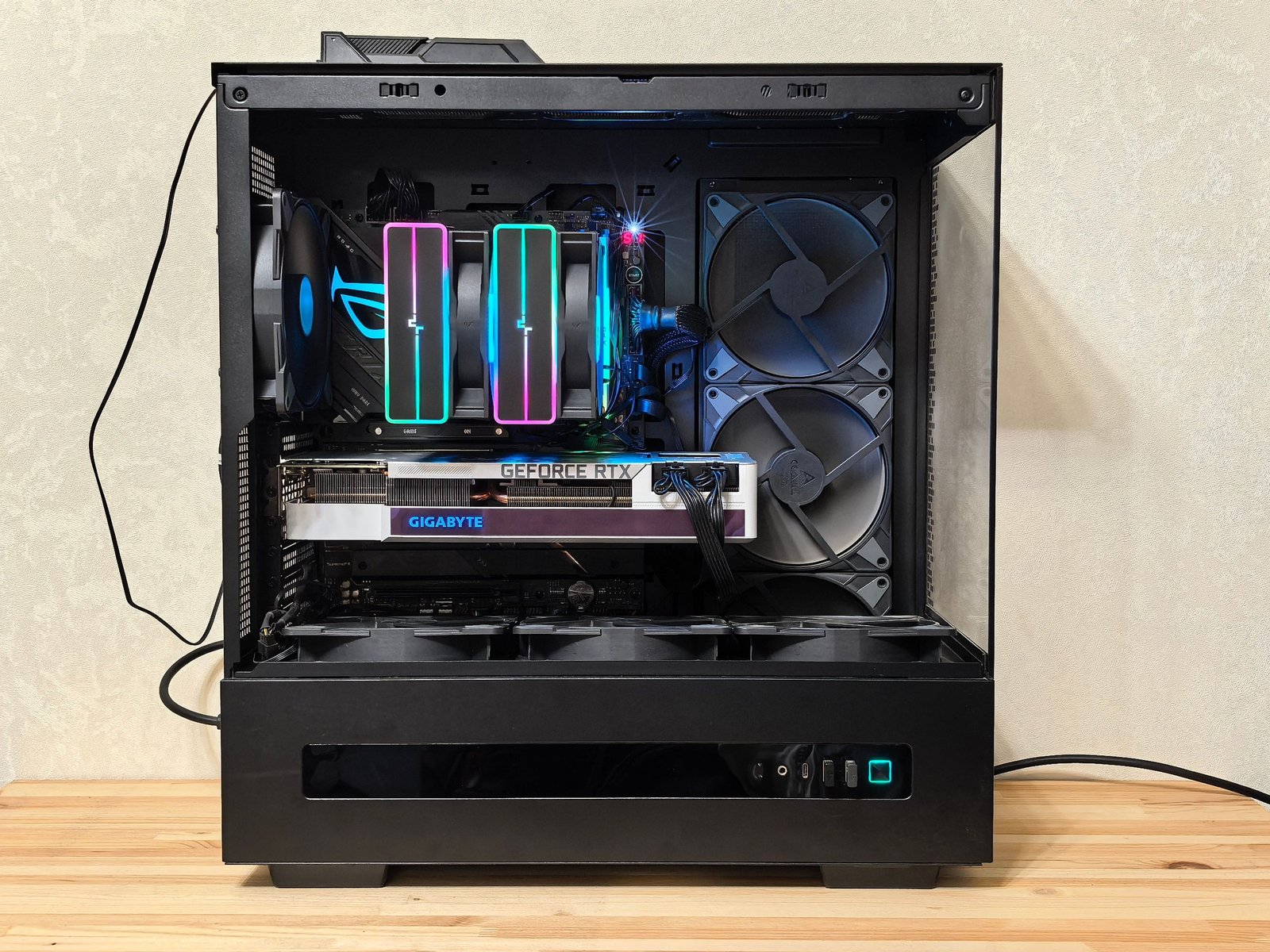
Match the build to your resolution, refresh rate, and favorite games
Your choice of resolution dictates the power required from your graphics card. High-refresh-rate monitors demand more frames per second, which directly impacts your component selection.For competitive titles like Valorant or Counter-Strike, speed is everything. A modest build focused on high frame rates at 1080p provides a competitive edge without breaking the bank.
1440p gaming as the best balance of quality and performance
Many gamers find that 1440p offers the sweet spot for visual fidelity. This resolution provides sharp images while remaining easier to drive than 4K, making it a popular choice for modern AAA titles.
4K gaming for high-end visuals and demanding titles
If you prioritize cinematic immersion, 4K is the ultimate goal. This requires a top-tier graphics card to maintain fluid performance in the most demanding games available today.
Set a realistic budget for the complete gaming station
When planning your best pc setup, remember that the tower is only one part of the equation. You must account for the monitor, mechanical keyboard, mouse, operating system, and networking gear to get an accurate total cost.
Entry-level budgets for a basic gaming computer
An entry-level budget focuses on essential performance for 1080p gaming. These systems prioritize value, ensuring you have a functional machine that handles popular games comfortably.
Midrange budgets for modern AAA gaming
Midrange builds offer a significant jump in graphical settings and longevity. Investing here allows you to enjoy high-fidelity textures and stable performance across a wide variety of modern releases.
Premium budgets for high-refresh-rate 4K gaming
Premium budgets are reserved for those who demand the absolute best. These systems utilize cutting-edge components to deliver high-refresh-rate 4K experiences, ensuring your station remains relevant for years to come.
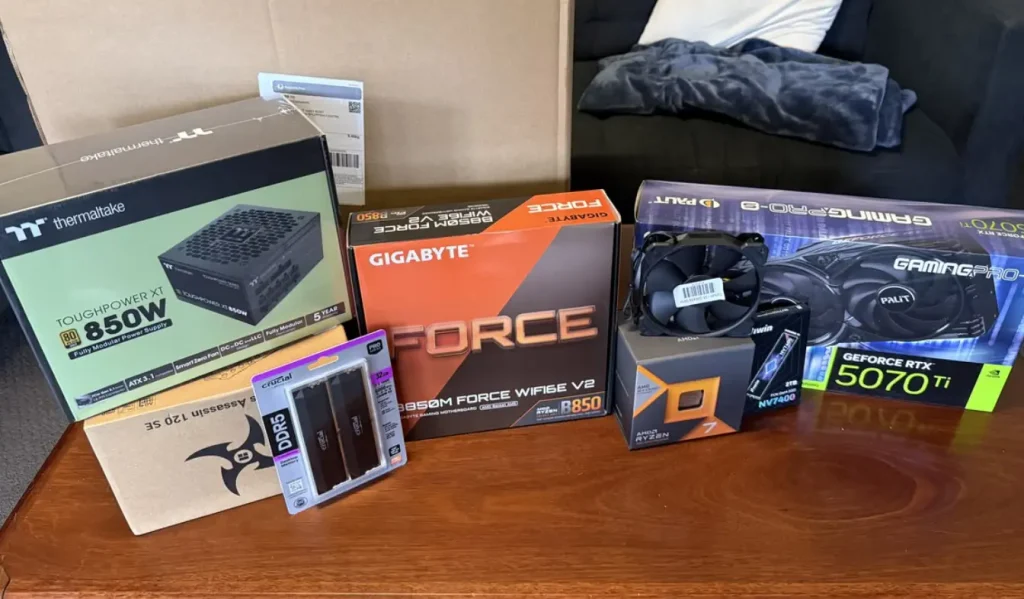
Best CPUs, GPUs, and components for a 2026
Whether you are aiming for a basic gaming computer or a high-end workstation, the right parts make all the difference. Selecting components that work well together ensures your system runs smoothly for years to come.
Choose a gaming CPU that delivers strong frame rates
The processor acts as the brain of your machine, handling game logic and physics. Choosing the right chip ensures your GPU can perform at its peak without bottlenecks.
AMD Ryzen 7 9800X3D for top-tier gaming performance
This chip is currently the gold standard for gamers who demand the highest frame rates. Its 3D V-Cache technology provides a massive advantage in competitive titles.
AMD Ryzen 7 7800X3D for a cost-effective upgrade path
If you want excellent performance without the premium price tag, this remains a fantastic choice. It offers incredible efficiency and stays cool during long sessions.
Intel Core Ultra 7 265K for gaming and productivity workloads
This processor is perfect for users who split their time between gaming and creative work. It balances high clock speeds with enough cores to handle heavy multitasking.
Select the right graphics card for your target resolution
Your graphics card determines how sharp your games look and how fast they render. Match your card to your monitor’s resolution to avoid overspending on power you cannot use.
NVIDIA GeForce RTX 5090 for uncompromised 4K performance
For those who refuse to compromise, the RTX 5090 is the ultimate choice. It handles 4K gaming at ultra settings with ease.
NVIDIA GeForce RTX 5080 for high-end gaming and ray tracing
This card is a powerhouse for enthusiasts who love advanced lighting effects. It makes ray tracing look stunning in the latest releases.
NVIDIA GeForce RTX 5070 Ti for balanced 1440p performance
The 5070 Ti is the sweet spot for most players. It delivers high frame rates at 1440p without breaking the bank.
AMD Radeon RX 9070 XT for strong rasterized performance and value
If you prefer raw speed over fancy lighting, this card is a top contender. It offers exceptional value for gamers who prioritize high refresh rates.
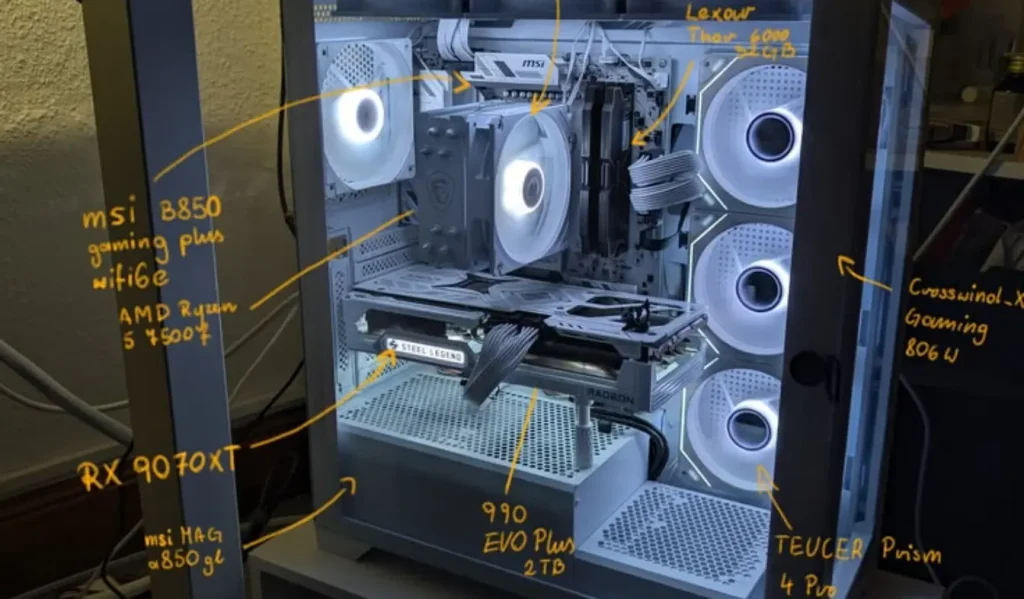
AMD Radeon RX 9070 XT for strong rasterized performance and value
Build a reliable foundation with memory, storage, and power
A stable system requires high-quality supporting components. Even a basic gaming computer benefits from fast memory and a dependable power supply.
32GB of DDR5 memory for current games and multitasking
32GB is the new standard for modern gaming. It ensures your system stays responsive even when you have several apps open in the background.
Samsung 990 Pro and WD Black SN850X for fast game storage
These NVMe drives offer lightning-fast load times. You will spend less time waiting and more time playing your favorite games.
Corsair RM850x and Seasonic Focus GX-1000 for dependable power delivery
Never skimp on your power supply. These units provide clean, stable energy to keep your expensive components safe.
ASUS TUF Gaming B850-Plus WiFi and MSI MAG X870 Tomahawk WiFi for modern platforms
These motherboards offer the connectivity you need for high-speed networking and peripherals. They provide a solid base for future upgrades.
| Component | Top Recommendation | Best For |
|---|---|---|
| CPU | Ryzen 7 9800X3D | Maximum FPS |
| GPU | RTX 5090 | 4K Enthusiasts |
| RAM | 32GB DDR5 | Multitasking |
Best PC setup for gaming: Prebuilt systems and custom builds
Your journey toward the perfect gaming setup begins with a choice between convenience and customization. While prebuilt systems offer a plug-and-play experience, custom builds provide total control over every component inside your machine.
When a prebuilt gaming PC makes the most sense
Prebuilt systems are ideal for gamers who want to start playing immediately without the stress of assembly. These machines come with professional support and tested hardware configurations.
CyberPowerPC Gamer Xtreme for an accessible entry-level system
The CyberPowerPC Gamer Xtreme serves as a fantastic entry point for new players. It balances cost and performance, making it perfect for those who want a reliable machine without breaking the bank.
Lenovo Legion Tower 5i for a polished midrange setup
The Lenovo Legion Tower 5i offers a sleek, professional aesthetic that fits well in any home office. It provides a stable midrange experience with excellent cooling and quiet operation.
Alienware Aurora for convenient high-performance gaming
For those seeking top-tier power, the Alienware Aurora delivers a premium, high-performance experience. Its unique design is engineered for maximum airflow and easy access to internal components.
When building a custom PC offers better value
Building your own rig allows you to select high-quality parts that match your specific needs. If you are wondering how do i make a computer that lasts, custom building is often the best answer.
Choose compatible CPU, motherboard, memory, and cooler components
Before buying parts, verify that your CPU socket matches your motherboard. Ensure your memory speed is supported by the chipset to avoid performance bottlenecks.
Check graphics card clearance, radiator support, and cable space
Always measure your case dimensions to ensure your graphics card fits comfortably. Check that your chosen case supports your liquid cooler radiator and provides enough room for clean cable management.
Balance the power supply with future upgrade requirements
Select a power supply unit with enough wattage to handle your current hardware plus a buffer for future upgrades. A high-quality, modular power supply makes building and maintenance much easier.
How do I make a computer that is easy to upgrade?
Planning for the future is the secret to a long-lasting gaming rig. By choosing the right foundation, you can ensure your system remains relevant for years to come.
Use the AM5 platform for longer-term CPU flexibility
The AM5 platform is a smart choice because it supports newer processors for several years. This allows you to upgrade your CPU later without needing a new motherboard.
Install two matching memory modules for dual-channel performance
Using two matching RAM sticks enables dual-channel memory, which significantly boosts gaming performance. This setup also leaves two slots open for future memory expansion.
Leave room for additional NVMe storage and case fans
Choose a motherboard with multiple M.2 slots to easily add more storage as your game library grows. Ensure your case has extra mounting points for fans to keep your components c
| Feature | Prebuilt PC | Custom Build |
|---|---|---|
| Setup Time | Immediate | Hours to Days |
| Customization | Limited | Unlimited |
| Warranty | System-wide | Per Component |
| Upgrade Path | Restricted | Highly Flexible |
Monitor, peripherals, and how to setup pc hardware
Learning how to setup pc hardware correctly ensures you get the most out of your investment. A great gaming experience relies on the synergy between your powerful internal components and the devices you interact with every day. By focusing on ergonomics and software optimization, you can create a space that feels both professional and comfortable.
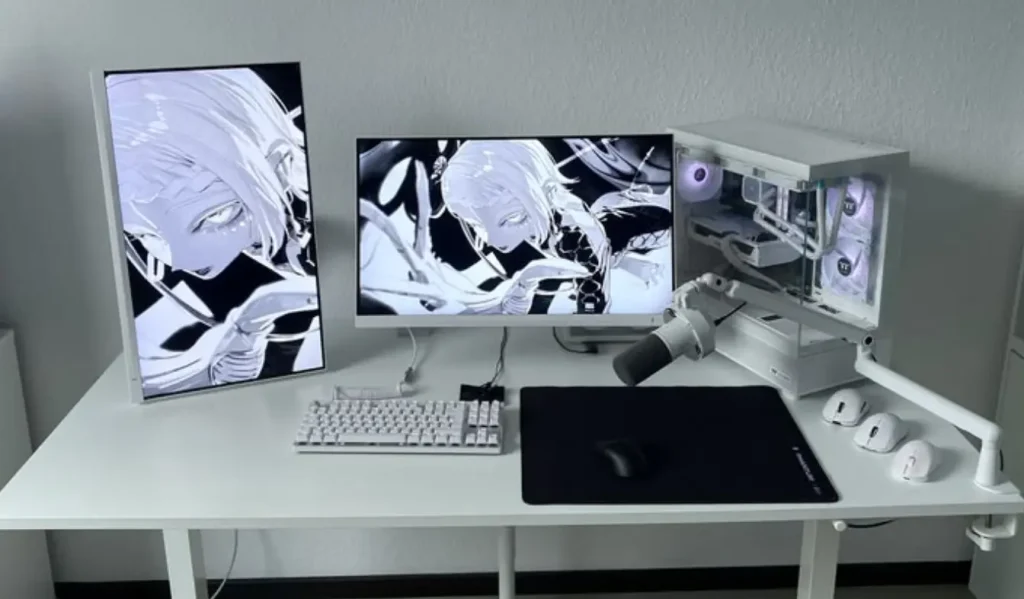
Monitor and Peripherals
Learning how to setup pc hardware correctly ensures you get the most out of your investment. A great gaming experience relies on the synergy between your powerful internal components and the devices you interact with every day. By focusing on ergonomics and software optimization, you can create a space that feels both professional and comfortable.
Choose a gaming monitor that fits the graphics card
Your monitor acts as the window into your digital worlds. Selecting a display that matches your GPU’s capabilities is essential for smooth visuals.
ASUS ROG Swift PG27UCDM for 4K OLED gaming
This monitor offers stunning clarity and deep blacks. It is the perfect choice for gamers who want to push their high-end graphics cards to the limit with 4K resolution.
LG UltraGear 27GS95QE-B for fast 1440p OLED gameplay
If you prioritize speed and responsiveness, this OLED panel is a top-tier contender. It provides fluid motion that makes competitive titles feel incredibly sharp.
Dell G2724D for affordable 1440p gaming
For those seeking value without sacrificing quality, this monitor delivers excellent color accuracy. It is a reliable workhorse for any mid-range gaming build.
| Monitor Model | Resolution | Panel Type | Best For |
|---|---|---|---|
| ASUS ROG Swift PG27UCDM | 4K | OLED | High-end Visuals |
| LG UltraGear 27GS95QE-B | 1440p | OLED | Competitive Speed |
| Dell G2724D | 1440p | IPS | Budget Value |
Complete the setup with responsive controls and clear audio
Input devices and audio gear define how you interact with your games. High-quality peripherals reduce latency and improve your overall immersion.
Logitech G Pro X Superlight 2 for competitive mouse control
This mouse is incredibly lightweight, allowing for precise flicks and fast tracking. It is a favorite among professional players who need consistent performance.
Wooting 80HE for adjustable rapid-trigger keyboard performance
The rapid-trigger technology in this keyboard allows for near-instant key resets. It gives you a distinct advantage in fast-paced shooters.
SteelSeries Arctis Nova 7 for flexible wireless gaming audio
Clear sound is vital for situational awareness. These headphones offer a comfortable fit and reliable wireless connectivity for long sessions.
Xbox Wireless Controller for comfortable controller-based games
Some games simply play better with a gamepad. This controller is the industry standard for comfort and compatibility.
Set up the desk, network, and operating system correctly
Knowing how to setup pc software and physical placement is just as important as the hardware itself. Proper organization prevents fatigue and ensures your system runs at peak efficiency.
Position the monitor at eye level and maintain comfortable viewing distance
Adjust your monitor stand so the top third of the screen is at eye level. This simple change prevents neck strain during long gaming marathons.
Use wired Ethernet or Wi-Fi 7 for stable online gaming
A stable connection is non-negotiable for online play. Whenever possible, use a wired Ethernet cable to minimize latency and packet loss.
Install Windows 11, chipset drivers, graphics drivers, and motherboard updates
Always keep your software current to ensure maximum compatibility. Start by installing the latest drivers directly from the manufacturer websites.
Enable variable refresh rate, HDR, and game-specific performance settings
Check your display settings to ensure G-Sync or FreeSync is active. Enabling HDR can also significantly enhance the visual depth of modern titles.
Improve temperatures, noise, and everyday reliability
A cool system is a quiet and long-lasting system. Managing airflow is a critical part of how to setup pc hardware for long-term reliability.
Use positive airflow with front or bottom intake fans
Create a positive pressure environment by ensuring more air enters the case than exits. This helps push heat out through the rear and top vents.
Apply sensible fan curves and monitor CPU and GPU temperatures
Use software to customize your fan speeds based on temperature thresholds. This keeps your PC quiet during light tasks and cool during heavy gaming.
Keep dust filters clean and avoid blocking case ventilation
Dust buildup acts as an insulator that traps heat inside your components. Regularly clean your filters to maintain optimal airflow and protect your hardware.
Conclusion
Creating the perfect gaming rig requires a clear vision of your goals. You must align your hardware choices with your target resolution and refresh rate. Competitive esports players often prioritize high frame rates at 1080p, while immersive titles demand the visual fidelity of 4K gaming. Balancing these needs ensures your investment delivers the best experience for your favorite games.
Smart planning involves more than just picking a powerful NVIDIA GeForce or AMD Radeon graphics card. You should weigh the convenience of prebuilt systems from brands like Corsair or NZXT against the flexibility of a custom build. Consider your desk space, network stability, and cooling requirements to ensure your machine runs quietly and efficiently. A well-ventilated case protects your components during long sessions.
Avoid the trap of spending your entire budget on a single premium part. A balanced system with reliable memory, fast storage, and a quality power supply offers better longevity. Focus on components that provide a clear upgrade path for the future. This approach keeps your PC relevant as new technology hits the market. Start your build today and enjoy the performance you deserve.
FAQ
What is the best pc setup for gaming for my specific resolution?
The best pc setup for gaming depends entirely on your visual goals. For 1080p esports, focus on high refresh rates and a capable CPU. If you are targeting the “sweet spot” of 1440p, a balance of quality and performance is key, often utilizing an NVIDIA GeForce RTX 5070 Ti or AMD Radeon RX 9070 XT. For those demanding an uncompromised 4K experience, the best pc setup includes the NVIDIA GeForce RTX 5090 paired with a premium OLED monitor like the ASUS ROG Swift PG27UCDM.
What are the essential components for a basic gaming computer in 2026?
A basic gaming computer today should prioritize a solid foundation to avoid early obsolescence. We recommend starting with at least 32GB of DDR5 memory and a fast NVMe SSD, such as the WD Black SN850X. For the processor, the AMD Ryzen 7 7800X3D remains a fantastic value, while a reliable power supply like the Corsair RM850x ensures your components receive stable power during intense gaming sessions.
How do I make a computer that is easy to upgrade in the future?
When asking “how do I make a computer that lasts,” the answer lies in the motherboard platform. Choosing the AM5 platform provides longer-term CPU flexibility compared to platforms nearing their end-of-life. Additionally, ensure your case has plenty of radiator support and cable space, and opt for a motherboard like the ASUS TUF Gaming B850-Plus WiFi that supports the latest standards for storage and graphics cards.
How to setup pc hardware for the best cooling and reliability?
To learn how to setup pc airflow correctly, aim for positive airflow by installing more intake fans (usually at the front or bottom) than exhaust fans. This helps keep dust out of your components. Always apply sensible fan curves in your BIOS, keep your dust filters clean, and ensure your GPU has enough clearance to breathe. Using a high-quality case with unobstructed ventilation is the best way to maintain low temperatures and quiet operation.
Should I choose a prebuilt system or a custom build for the best pc setup for gaming?
If you value convenience and a plug-and-play experience, a prebuilt like the Lenovo Legion Tower 5i or the Alienware Aurora is an excellent choice. However, if you want the absolute best pc setup for gaming tailored to your exact budget, a custom build allows you to hand-pick superior parts like the Samsung 990 Pro SSD and specialized peripherals like the Wooting 80HE keyboard. Custom building also makes it easier to understand your machine for future troubleshooting.
What software steps are necessary once I finish my hardware setup?
After the physical assembly, install Windows 11 and immediately update your chipset and graphics drivers. It is also crucial to visit the motherboard manufacturer’s site (such as MSI or ASUS) for the latest firmware updates. Don’t forget to enable Variable Refresh Rate (VRR) and HDR in your display settings to get the most out of high-end monitors like the LG UltraGear 27GS95QE-B.