
Table of Contents
You’re comparing two gaming laptops. Both advertise an RTX 5060, 16GB RAM and a high-refresh screen, but one seems noticeably faster in independent reviews. Is the reviewer mistaken? Is one graphics card defective? Or is there something important hiding behind the identical GPU label?
Often, the answer starts with gaming laptop TGP—the power budget assigned to the graphics subsystem. GPU wattage affects how hard the hardware can work, but it is not the only factor. Cooling, CPU demands, memory, firmware and the game all influence the result. You don’t need an engineering degree to make sense of it; you need to compare the right details before buying.
This guide explains what TGP means, why wattage numbers sometimes appear inconsistent, and how to avoid paying more for a GPU badge without getting the performance you expect.
What Is Gaming Laptop TGP?
TGP stands for Total Graphics Power. In laptop shopping, manufacturers commonly use it to describe the configured power allowance for the graphics subsystem or GPU. You may also see “GPU power,” “maximum graphics power” or “GPU subsystem power,” depending on the brand and documentation.
These labels are not always used in identical ways. Some specifications present a base graphics allowance plus additional Dynamic Boost power; others publish a maximum combined number. Before comparing two laptops, confirm whether their figures describe the same thing.
Why Does More Power Often Help?
Graphics chips perform work by switching billions of transistors while processing pixels, textures and game calculations. Higher power availability can allow the GPU to hold higher clocks under a demanding workload—provided the cooling and firmware permit it.
But power is not the same as performance. A GPU’s design, memory bandwidth and architecture also matter. More watts beyond a certain operating point may deliver diminishing returns, and a noisy laptop that cannot remove heat may fail to maintain its advertised peak clocks.
NVIDIA RTX 50-Series Laptop GPU Power Ranges
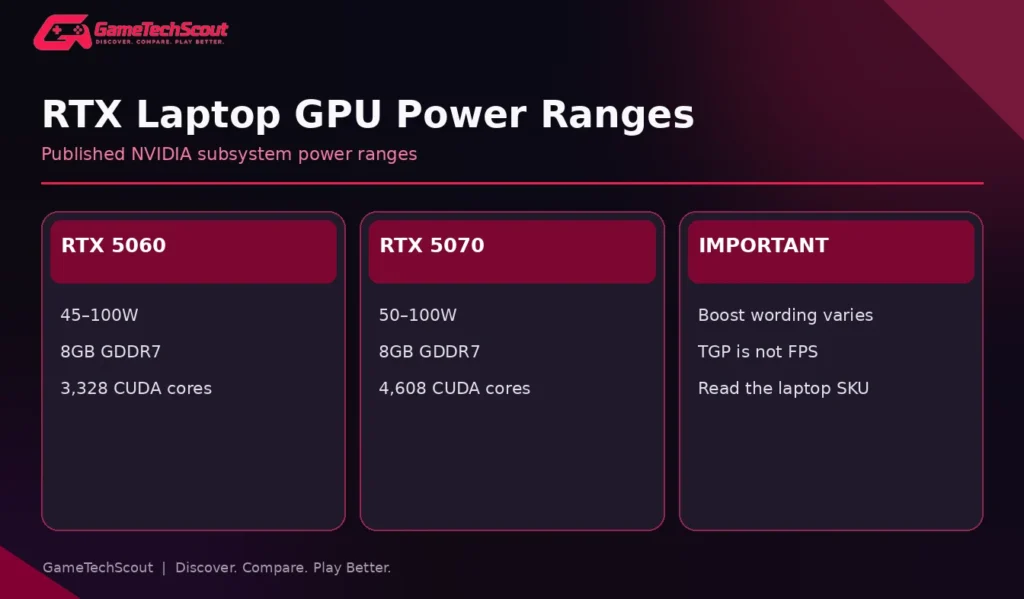
NVIDIA publishes these approximate subsystem-power ranges in its official RTX 50-series laptop specifications:
| Laptop GPU | Published GPU subsystem power | Standard VRAM |
|---|---|---|
| RTX 5050 | Refer to regional official configuration documentation | 8GB GDDR7 |
| RTX 5060 | 45–100W | 8GB GDDR7 |
| RTX 5070 | 50–100W | 8GB GDDR7 |
| RTX 5070 Ti | 60–115W | 12GB GDDR7 |
| RTX 5080 | 80–150W | 16GB GDDR7 |
| RTX 5090 | 95–150W | 24GB GDDR7 |
These ranges are published GPU-subsystem specifications. Specific laptops may advertise additional Dynamic Boost headroom or use different terminology, so compare exact manufacturer documents. This table also isn’t a performance ranking or guarantee of any frame rate.
The obvious takeaway is that the ranges overlap. A higher-numbered GPU running at a restricted power limit is not automatically faster than every configuration from the tier below.
Can a High-Wattage RTX 5050 Beat a Low-Wattage RTX 5060?
It can happen in some games and specific laptop designs. PC Gamer’s 2026 commentary on laptop GPU TGP disclosure explains why a fast, high-power lower-tier GPU can compete with or outperform a restricted higher-tier one.
However, avoid treating that observation as a universal rule. Different games respond differently to shader count, VRAM, CPU limits, memory behavior, GPU clocks and cooling. The correct comparison is a pair of independently tested, clearly identified laptops—not an abstract wattage ranking.
A Real Manufacturer Example: ASUS TUF Gaming 16
ASUS publishes TUF Gaming 16 (2026) configurations with RTX 5050, RTX 5060 and RTX 5070 options. Several entries are labeled 85W (70W + 15W). This is a clear example of a manufacturer including an additional 15W component in its maximum advertised GPU allowance.
A retailer may show just “RTX 5070 Laptop GPU” with no such detail. That’s why an exact model number and manufacturer’s documentation are so useful.
Lenovo LOQ vs Acer Nitro V: Why Exact TGP Matters
Our published Lenovo LOQ vs Acer Nitro V comparison contrasts documented RTX 5050 examples with different graphics power allowances. It shows why the same GPU label doesn’t guarantee equivalent sustained frame rates across budget laptops.
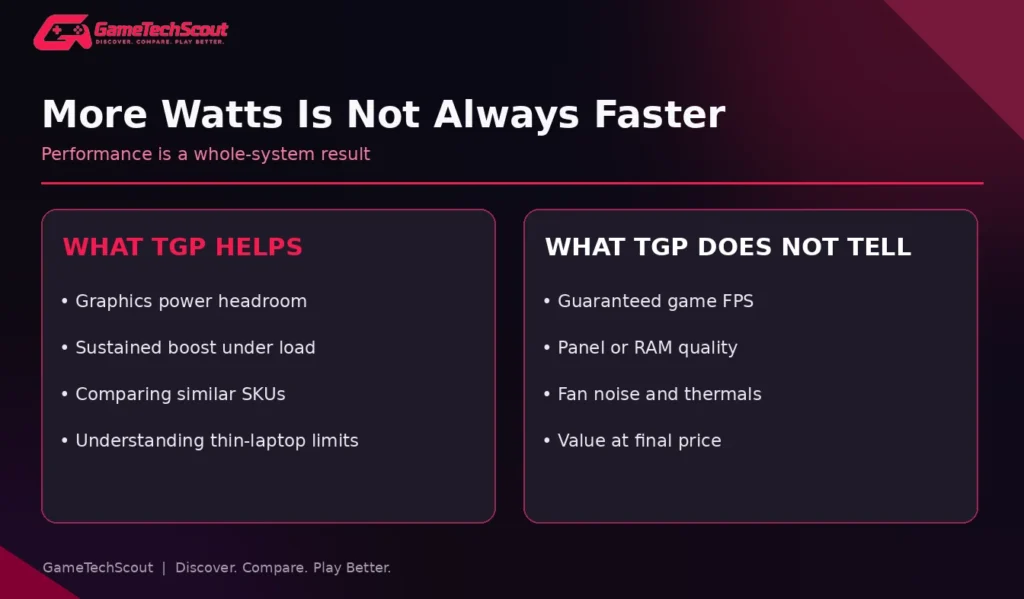
A buyer comparing listings should also note whether one model has a better screen, dual-channel memory, quieter fans, or more storage. GPU power is useful—but it shouldn’t crowd out the rest of the machine.
Dynamic Boost: What Does the Extra Wattage Mean?
Some NVIDIA laptop configurations use Dynamic Boost to shift part of the power budget between the CPU and GPU, depending on the workload and supported platform design. The extra GPU allowance can be available in favorable conditions, but it isn’t a guarantee that the maximum advertised graphics wattage will be sustained in every moment of every game.
For example, in a CPU-heavy game, CPU power requirements can limit how much budget is available to the GPU. In a graphics-heavy scene, more allowance may go toward graphics if thermal and platform limits permit.
How to Read “70W + 15W”
It generally means the manufacturer is advertising 70W plus up to 15W of additional Dynamic Boost headroom, for a stated total of 85W. But confirm the exact wording, because brands and generations differ.
Avoid comparing a “100W” listing with an “85W including boost” listing unless you know the measurement basis. Retailers sometimes omit this nuance entirely.
Why Higher TGP Doesn’t Guarantee Higher FPS

Cooling Can Become the Limiting Factor
An under-cooled laptop may lower clocks to stay within safe thermal conditions. Dusty vents, obstructed intakes, bad fan operation, and extremely warm rooms can worsen the situation. A well-designed cooling system helps a GPU use its configured power effectively.
If a laptop’s performance suddenly becomes worse than it used to be, diagnose the cause before assuming its power specification is wrong. GameTechScout’s gaming laptop overheating troubleshooting guide provides a sensible order of checks.
The CPU Can Hold the GPU Back
In high-FPS esports titles, the processor may limit performance. Giving the GPU more power doesn’t necessarily help when it is waiting for the CPU. Compare 1% low frame rates, frame pacing and measured CPU/GPU usage—not only average FPS.
Memory and Resolution Matter
A GPU with insufficient video memory for a demanding preset can stutter or require texture reductions. A laptop with only 8GB system RAM may also feel worse than a balanced 16GB configuration. At 1600p, a GPU generally faces more rendering work than at 1080p, making graphics headroom more valuable.
Fan Noise Has Value Too
More power can mean more heat and louder fans. If two machines run your favorite game at similar frame rates, the quieter one may be preferable for shared living spaces, study rooms or late-night use. Reviews with noise measurements are particularly helpful here.
How to Find a Laptop’s GPU Wattage Before Buying
- Copy the exact SKU/model number from the retailer listing.
- Open the manufacturer’s official product or specification page.
- Look under Graphics, GPU Power, TGP, MGP or Dynamic Boost.
- Check whether the listed wattage includes additional boost power.
- Find independent testing of that exact SKU or an equivalent configuration.
- Compare sustained FPS and fan noise at the same graphics settings.
- Confirm the laptop’s included charger, RAM, screen and warranty before deciding.
If a retailer cannot provide a SKU, don’t guess the wattage from the brand family. Two laptops sold as “ASUS TUF” or “Lenovo LOQ” may have different graphics configurations in different markets.
Can You Change GPU TGP Yourself?
Some laptops provide supported performance profiles that change power behavior. Others offer limited manual controls. That does not mean you can safely raise TGP beyond the manufacturer’s design. Avoid unsupported firmware flashes or risky voltage modifications: they can compromise stability, safety or warranty protection.
Changing graphics settings and supported laptop profiles is usually the safer way to tune performance. The machine’s cooling and electrical design were not necessarily built for arbitrary power increases.
How to Compare RTX 5060 and RTX 5070 Laptops Using TGP
NVIDIA lists 3,328 CUDA cores for the RTX 5060 Laptop GPU and 4,608 for the RTX 5070 Laptop GPU, with 8GB GDDR7 standard memory for both in its published table. That means the 5070 has more shader resources, but the comparison still depends on power allowance.
Use an example: a 100W RTX 5060 laptop with strong cooling and a good screen versus a thin 50W RTX 5070 laptop with a premium chassis. You should not assume the second is better solely because its GPU number is higher. Instead, check game benchmarks and the total value.
For another adjacent-GPU example, our existing RTX 5050 vs RTX 5060 guide shows why you must compare wattage, benchmarks and complete laptop value. Once our new 5060-versus-5070 article is live, you can also add a contextual link to its verified URL here.
TGP Versus Battery Life and Portability
A larger graphics power budget is most useful when the laptop is plugged into its recommended charger. Away from power, gaming laptops generally use lower-power modes to preserve battery life. So a quoted maximum TGP does not mean the machine continuously draws that power during web browsing or while on battery.
If you need one laptop for commuting or college, compare weight and productivity runtime alongside gaming benchmarks. A lower-power thin laptop can be more convenient even if it doesn’t top the FPS charts.
A Smart Comparison Worksheet
| Question | Laptop A | Laptop B |
|---|---|---|
| Exact model/SKU | Write it down | Write it down |
| GPU and VRAM | Confirm | Confirm |
| Advertised TGP | Include boost basis | Include boost basis |
| CPU and RAM | Confirm | Confirm |
| Display and resolution | Confirm | Confirm |
| Measured game FPS | Same benchmark | Same benchmark |
| Fan noise and heat | Independent review | Independent review |
| Final checkout price | Include taxes | Include taxes |
Use this worksheet instead of relying on generic ranked lists where different laptops may have dramatically different wattage allowances.
Common TGP Buying Mistakes
- Assuming “RTX 5070” means identical performance on every laptop.
- Comparing base graphics wattage with a rival’s boost-inclusive maximum.
- Treating TGP as system-wide wall power draw.
- Ignoring CPU load, cooling and fan noise.
- Accepting a benchmark without resolution, presets or DLSS settings.
- Flashing unsupported firmware to force higher wattage.
- Buying a high-TGP GPU while sacrificing basic RAM or screen quality.
Frequently Asked Questions About Gaming Laptop TGP
What Does Gaming Laptop TGP Mean?
It generally refers to the graphics power budget configured for a laptop GPU. Terminology varies, so read the maker’s exact definition and any Dynamic Boost notes.
Is Higher TGP Always Better?
No. More graphics power can enable more performance, but GPU architecture, cooling, CPU limits, game settings and noise also matter.
Is a 100W RTX 5060 Better Than a 50W RTX 5070?
It depends on the laptops and workload. Their overlapping power limits make controlled game benchmarks essential.
Can I Increase Laptop GPU Wattage?
Use only supported performance profiles. Raising limits through unsupported firmware changes can be risky and may violate warranty terms.
Is TGP the Same as TDP?
Not necessarily. TGP is commonly used for graphics power; TDP is a thermal-design term that can refer to components under specific measurement conventions. Don’t treat the two as interchangeable without context.
Does Higher TGP Mean Worse Battery Life?
Not directly during light use. A maximum TGP describes an operating allowance under applicable load; actual battery use depends on workload, GPU switching and power settings.
Conclusion: Compare the Wattage, Then Compare the Whole Laptop
Gaming laptop TGP is one of the most useful specifications hidden behind a familiar RTX badge. It can help explain why two machines with the same GPU deliver different FPS results—but it isn’t a shortcut to a complete performance ranking.
Find the exact GPU wattage, verify how Dynamic Boost is counted, check independent sustained benchmarks, and look at cooling, screen quality, RAM and final price. Have two laptops with the same GPU on your shortlist? Share their SKUs in the GameTechScout comments so readers can compare the real configurations.
Editorial disclosure: This article explains published manufacturer data and independent third-party reporting. It does not claim GameTechScout has personally tested these laptops. GPU configuration, terminology and power behavior vary by model.