

Table of Contents
You’re shopping for an affordable gaming laptop, and two names keep showing up: Lenovo LOQ and Acer Nitro V. Both promise dedicated NVIDIA graphics, high-refresh screens, and the ability to run your favorite games without paying for a flagship machine.
But look beyond the brand names and the decision becomes more complicated. One listing may offer more SSD space, another a higher graphics power limit, and a third may have a completely different CPU despite carrying the same family name.
This Lenovo LOQ vs Acer Nitro V guide compares documented configurations, real-world review findings, upgrade considerations, screen quality, and total value. The aim isn’t to declare that every Lenovo beats every Acer. It’s to show you how to choose the right exact laptop.
Quick verdict: For performance-focused 1080p gaming, a well-priced Lenovo LOQ with a high-power RTX 5050 is an appealing starting point. The Acer Nitro V 15 can be attractive when its 1TB SSD, 165Hz panel, and lower asking price fit your needs—but cooling and GPU power deserve close scrutiny.
Lenovo LOQ vs Acer Nitro V: Specs at a Glance
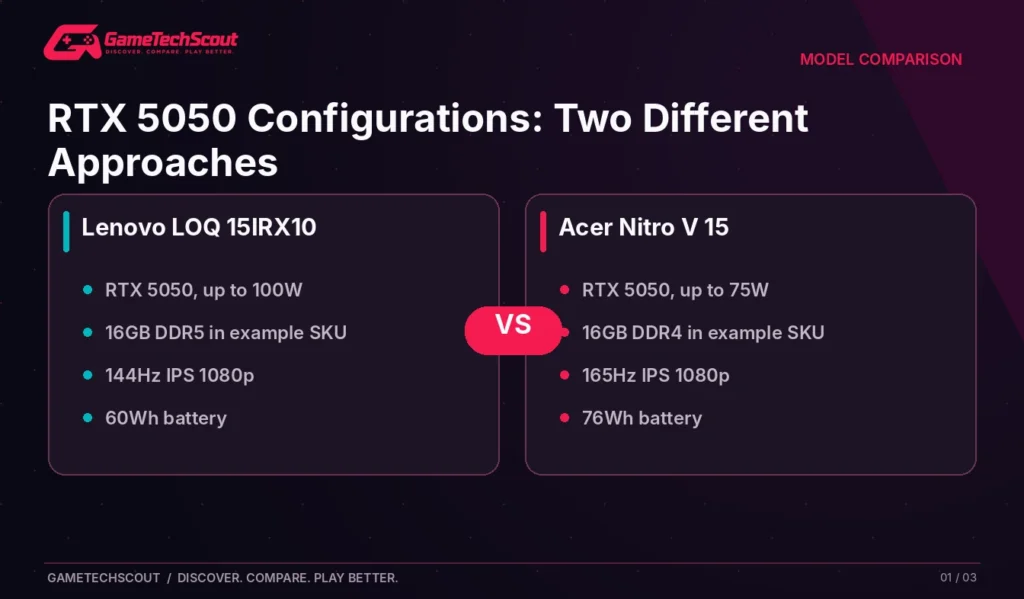
To make the comparison concrete, the table uses two manufacturer-documented examples rather than mixing incompatible versions of each product family.
| Feature | Lenovo LOQ 15IRX10 (83JE0012US) | Acer Nitro V 15 (ANV15-52-73JA) |
|---|---|---|
| CPU | Intel Core i5-13450HX | Intel Core i7-13620H |
| GPU | RTX 5050 Laptop GPU, 8GB GDDR7 | RTX 5050 Laptop GPU, 8GB GDDR7 |
| Advertised max GPU power | 100W | 75W |
| RAM | 16GB DDR5, one module | 16GB DDR4 |
| SSD | 1TB PCIe NVMe | 1TB PCIe NVMe |
| Display | 15.6-inch 1080p IPS, 144Hz | 15.6-inch 1080p IPS, 165Hz |
| Battery | 60Wh | 76Wh |
| Main purchasing question | Can you benefit from the higher GPU allowance? | Is the price lower enough to offset performance compromises? |
Sources: Lenovo Product Specifications Reference and Acer’s official product listing. These exact model numbers may not be stocked by every retailer; other LOQ/Nitro versions can have different components.
Gaming Performance: Does Lenovo LOQ Beat Acer Nitro V?
The main difference in the comparison above is the graphics power ceiling: Lenovo documents 100W for its RTX 5050 configuration, while Acer lists 75W for its RTX 5050 configuration.
That gives the Lenovo more potential graphics power, but wattage isn’t a standalone FPS benchmark. The CPU, cooling system, BIOS behavior, RAM arrangement, and individual game still matter. A 100W rating also doesn’t mean the GPU draws 100W every second of gameplay.
What Independent Nitro V Testing Reveals
In PC Gamer’s Nitro V 15 review, a tested RTX 5050 Nitro V configuration with a 75W power limit and Core i7-13620H struggled with demanding ray-traced games without help from upscaling. Cyberpunk 2077 averaged 19 FPS in the reviewer’s demanding native test, improving to 55 FPS using DLSS Quality and frame generation.
That is a useful warning: the GPU badge alone doesn’t promise excellent ray-tracing results, even when the machine has a 165Hz screen.
The reviewer also called out the limited storage and older DDR4 memory in the tested unit, and found stronger value elsewhere at the evaluated price.
Why We Aren’t Claiming a Fixed Lenovo Lead
We haven’t found a directly controlled, identical-game, identical-settings benchmark of the two specific SKUs in our table. It would be misleading to invent a precise percentage advantage for the LOQ.
Instead, use Lenovo’s 100W figure as a reason to investigate the LOQ, then confirm it with an independent review of the exact model. If a store offers an RTX 5060 Nitro V and only an RTX 5050 LOQ, the comparison changes completely.
Which Laptop Suits Competitive Games?
For Valorant, Rocket League, and other less GPU-intensive games, both kinds of laptop can be viable. A responsive screen, consistent frame pacing, keyboard comfort, and CPU performance may have more impact on your enjoyment than a small difference in maximum GPU wattage.
Processor Comparison: Core i5 HX vs Core i7 H
Don’t assume the Core i7 label makes the Acer automatically faster for every workload. The two processors belong to different power and design families.
The Core i5-13450HX in the selected LOQ and Core i7-13620H in the selected Nitro are both capable 13th-generation Intel chips. Their actual performance depends on cooling and power tuning, especially when the GPU is active.
For gaming, compare real benchmark results. For heavier productivity or coding projects, also look at CPU-heavy tests, memory bandwidth, and whether the chassis throttles under prolonged use.
What matters is how the laptop behaves, not whether the box says i5 or i7.
RAM and Storage: Which Laptop Is More Upgrade-Friendly?
The two configurations use different memory generations. Lenovo lists 16GB DDR5 as one SO-DIMM and indicates two DDR5 SO-DIMM slots, while Acer lists 16GB DDR4 for its Nitro configuration.
That doesn’t make the LOQ an automatic winner. Single-module RAM configurations may not offer the same memory-channel performance as balanced two-module arrangements, and the tested application determines whether the difference is noticeable.
What to Check on a Lenovo LOQ
The selected Lenovo specifications show two RAM slots and M.2 storage expansion options. That’s useful if you expect to upgrade later. But check the exact service manual, supported capacities, and warranty terms before opening the chassis.
What to Check on an Acer Nitro V
Acer’s product page lists 16GB DDR4 and a 1TB SSD for the chosen SKU. Other Nitro V 15 configurations can come with only 512GB or different RAM arrangements, so don’t assume every listing includes the same storage.
If both laptops cost the same and one has twice the usable SSD capacity, that can affect your total cost. Modern games occupy a lot of space, and an SSD upgrade adds expense.
For a broader explanation of these compromises, see our gaming laptop customization guide.
Display Comparison: 144Hz vs 165Hz
The chosen LOQ has a 144Hz 1080p IPS display; the Nitro V has a 165Hz 1080p IPS display. At first glance, Acer looks better.
However, a 21Hz refresh-rate difference isn’t everything. Screen brightness, color gamut, response times, adaptive sync, and practical FPS matter too. A faster refresh panel doesn’t improve image quality if the screen is dim or the game runs at 50 FPS.
Questions to Ask About the Display
- Is the panel bright enough for your room?
- Does it cover the color space you need for creative work?
- Does it support variable refresh behavior?
- Is the response time actually good, or merely advertised?
- How does the display perform in independent measurements?
The selected Lenovo PSREF configuration lists a 300-nit, 100% sRGB display with G-SYNC, which is useful detail beyond refresh rate. Acer documents a matte IPS 165Hz panel for its example, but color quality should be verified from the exact panel or independent reviews.
Our advice: Don’t pay a significant premium for 165Hz instead of 144Hz without comparing the full screens.
Cooling, Fan Noise, and Long Gaming Sessions
Acer’s Nitro V 15 has a budget-oriented design, and the PC Gamer review highlighted thermal concerns with the tested system. That’s relevant if you play long sessions or run CPU-heavy games.
Lenovo’s higher documented GPU power ceiling also means its cooling implementation deserves careful testing. More available power can produce more heat; it isn’t automatically an advantage if the fans become intolerably loud or sustained speed drops.
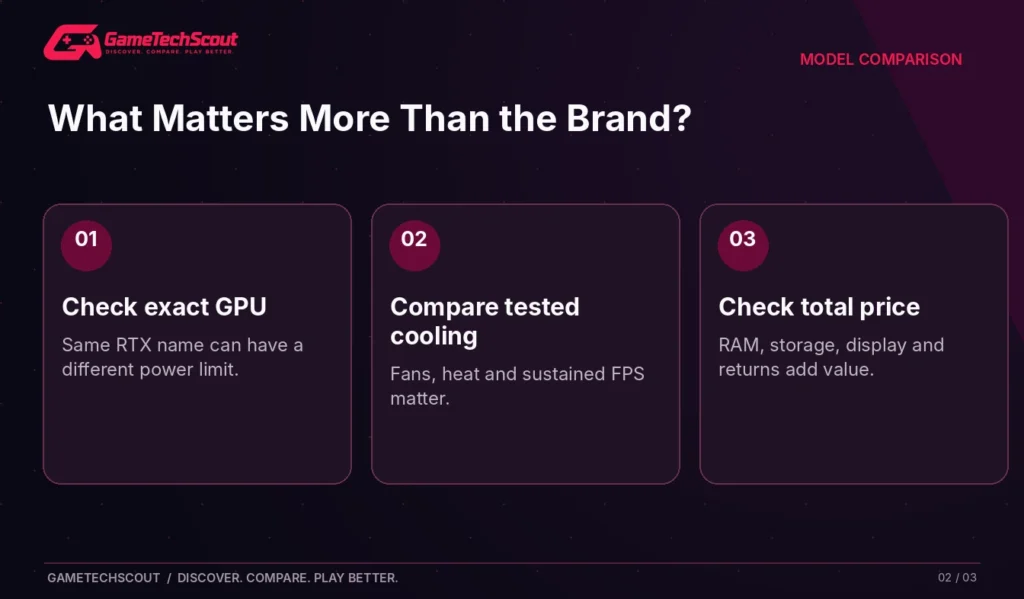
When reading reviews, prioritize measured frame rates after sustained play, keyboard surface temperature, fan noise, and any performance changes between Balanced and Performance modes.
Should You Use a Cooling Pad?
It might improve airflow on some designs, but results differ. Before purchasing accessories, make sure you’re using the laptop on a firm surface and not blocking its intake vents. Don’t treat a cooling pad as a cure for a fundamentally weak cooling design.
Battery Life and Portability
Neither laptop is an ultralight productivity notebook. The selected Acer has a larger published battery capacity—76Wh versus Lenovo’s 60Wh—but capacity alone does not determine real runtime.
A CPU’s efficiency, screen brightness, hybrid-graphics behavior, power mode, and background software all influence how long the laptop lasts unplugged.
Acer lists an up-to battery estimate in its specifications. Treat that as a manufacturer estimate under particular conditions, not as an expectation for demanding games on the RTX GPU.
Which Is Better for College?
Choose based on the route you travel every day, the class schedule you follow, and whether you can charge between sessions. A portable laptop with weaker graphics may still be the better student machine if it meets your actual needs.
For portable alternatives at a different size, see our best gaming laptop guide.
Lenovo LOQ vs Acer Nitro V: Which Offers Better Value?
Price is the missing factor in every specification comparison. Retailers can discount different models, sell older stock, or offer open-box units with varying warranty terms.
| Buying scenario | What to prioritize |
|---|---|
| LOQ and Nitro have similar prices and RTX 5050 GPUs | Investigate LOQ’s higher published power allowance |
| Nitro costs materially less | Compare actual gaming requirements and warranty |
| Nitro has RTX 5060 but LOQ has RTX 5050 | Re-evaluate from scratch using tested configurations |
| LOQ has better panel but smaller SSD | Decide whether screen quality is worth the storage trade-off |
| Either laptop has only 8GB RAM | Factor a memory upgrade into the total price |
| One machine has a much better return policy | Give that real weight in your decision |
A deal isn’t good merely because a manufacturer’s name is familiar. Compare final price, tax, shipping, included charger, return policy, and possible upgrade costs.
If you’re working within a fixed ceiling, our gaming laptops under $1,000 guide helps you compare more options.
Alternative Configurations That Could Change the Answer
Both Lenovo and Acer sell multiple generations and regional variants. That creates an easy trap for affiliate buying guides: an article discusses an RTX 5050 laptop, but the purchase link points to an RTX 4050 or RTX 5060 version.
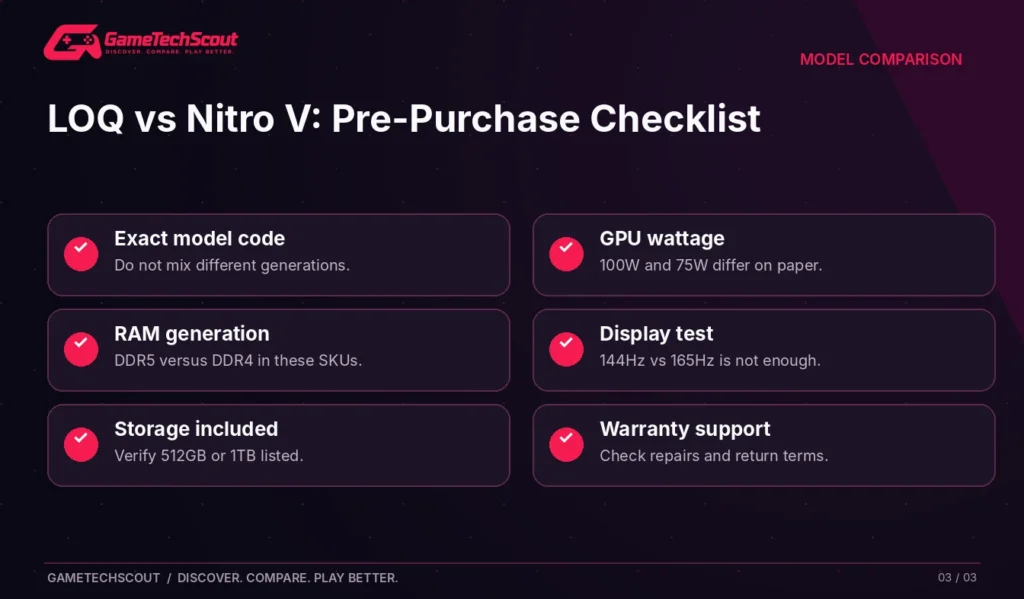
Before making a recommendation, copy the full model identifier into your notes. Check CPU, GPU, GPU power, RAM configuration, panel, SSD, warranty, and whether the product is new or refurbished.
Our best gaming laptop brands comparison explains why judging an entire manufacturer by a single model is rarely helpful.
Mistakes to Avoid When Comparing LOQ and Nitro V
- Comparing a 2025 Nitro with a 2026 LOQ without specifying hardware. Model families change.
- Assuming a faster refresh number guarantees a better display. Panel quality matters.
- Treating 100W versus 75W as a guaranteed FPS percentage. Verify benchmarks.
- Ignoring RAM channel configuration. Two 16GB laptops may behave differently.
- Assuming battery capacity equals gaming battery life. Gaming draws much more power.
- Ignoring warranty and service availability. A cheaper machine with poor support can cost more later.
- Relying on manufacturer photos rather than measurements. Test heat, noise, and screen behavior where possible.
Frequently Asked Questions
Is Lenovo LOQ Better Than Acer Nitro V for Gaming?
A well-cooled LOQ with a higher-power GPU can be attractive, but the answer depends on the exact models and prices. You cannot rank the whole families reliably without specifying configurations.
Which Is Cheaper: Lenovo LOQ or Acer Nitro V?
Prices vary by retailer, generation, country, and sale period. Compare current offers for matching RAM, storage, GPU, and warranty conditions.
Which Has Better Cooling: LOQ or Nitro V?
Cooling varies by generation and CPU/GPU combination. Independent testing reported thermal weaknesses in one Nitro V 15 configuration; verify a direct model-to-model comparison before assuming Lenovo always wins.
Does Lenovo LOQ Have Upgradeable RAM?
Many LOQ configurations do. The referenced LOQ 15IRX10 specification shows two DDR5 SO-DIMM slots. Confirm the exact model number before buying upgrade parts.
Is Acer Nitro V Good for 1080p Gaming?
Yes, suitably configured Nitro V models can provide useful 1080p gaming, although demanding AAA titles often need sensible settings or upscaling.
Should I Buy RTX 5050 or RTX 5060 in These Laptops?
The RTX 5060 is generally worth considering when the price difference is reasonable and the system supports it well. Don’t assume a 5060 label guarantees strong performance in every chassis.
Which Is Better for a Student, Lenovo LOQ or Acer Nitro V?
Consider productivity battery life, charger weight, quiet fan modes, screen comfort, and warranty support alongside gaming performance.
Conclusion: Lenovo LOQ or Acer Nitro V?
For two similarly priced RTX 5050 configurations, the Lenovo LOQ 15 with the documented 100W GPU is a strong performance-oriented option to investigate. Its DDR5 memory and accessible slots can also be useful, depending on the exact SKU.
The Acer Nitro V 15 remains worth comparing when its price is lower, its storage and display suit you, and independent reviews confirm acceptable cooling and noise for the version you’re buying.
Before checkout, write down the exact model codes and compare at least one independent gaming review for each. Avoid selecting a winner from the product-family name alone.
For more alternatives, explore GameTechScout’s affordable gaming laptop recommendations.
Which configuration would you buy, and at what price? Share the exact Lenovo or Acer model you’re considering in the comments.
Editorial note: The comparison uses documented manufacturer configurations and independent reviews. GameTechScout has not personally tested these exact laptops; prices and specifications vary by SKU and market.


1 Comment