
Table of Contents
You’ve spent hours comparing gaming PCs. One has a powerful graphics card but barely enough RAM. Another looks incredible with RGB lighting everywhere, yet costs hundreds more than you expected. And just when you find a promising option, you discover its power supply or cooling system isn’t what you wanted.
Buying a gaming PC shouldn’t feel like a guessing game.
That’s where a custom gaming PC build becomes interesting. Instead of accepting whatever components a manufacturer chooses, you can select a processor, graphics card, memory, storage, and cooling system that match your needs.
Whether you’re looking for smooth 1080p gameplay, competitive 1440p performance, or immersive 4K gaming, customizing your PC gives you more control over where your money goes.
However, custom doesn’t automatically mean better value. Component prices remain volatile in 2026, and some ready-made gaming desktops cost less than equivalent custom configurations.
In this guide, we’ll explore six of the best custom gaming PC builds to buy in 2026, explain which components deserve your attention, and compare reputable PC builders to help you make a confident purchasing decision.
Best Custom Gaming PC Builds in 2026: Quick Comparison
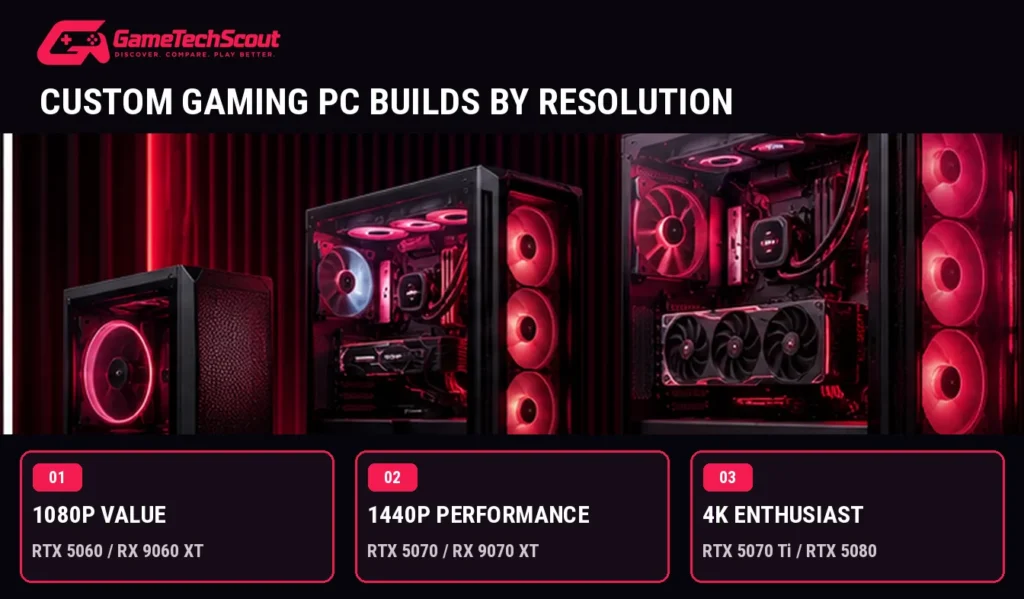
Before spending your money, decide what resolution and gaming performance you’re targeting.
| Custom PC build | Recommended CPU | Graphics card | Ideal use |
|---|---|---|---|
| Budget 1080p | Ryzen 5 9600 or Core i5-14400F | RTX 5060 | Everyday 1080p gaming |
| Balanced gaming | Ryzen 7 9700X | RTX 5060 Ti 16GB | High-quality 1080p and entry 1440p |
| AMD performance | Ryzen 5 9600X / Ryzen 7 9700X | RX 9070 XT 16GB | Strong 1440p gaming |
| Premium NVIDIA | Ryzen 7 9800X3D | RTX 5070 Ti 16GB | High-refresh 1440p and ray tracing |
| High-end 4K | Ryzen 7 9800X3D | RTX 5080 16GB | Demanding 4K gaming |
| Compact gaming | Ryzen 7 9700X | RTX 5070-class GPU | Powerful small-footprint setup |
These are editorial configuration recommendations. They aren’t fixed retail bundles or guaranteed checkout prices. Available components and combinations depend on each builder’s configurator.
1. Best Budget Custom Gaming PC Build — 1080p Gaming
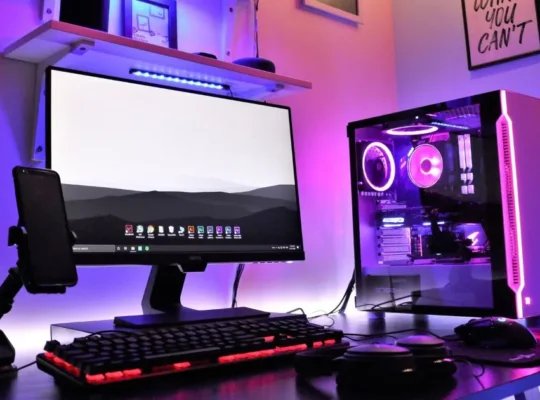
You don’t need an expensive flagship graphics card to enjoy modern PC games.
If your main goal is playing Fortnite, Valorant, Rocket League, or other popular titles at 1080p, a carefully selected entry-level custom desktop can be a sensible purchase.
Recommended Components
| Component | Recommendation |
|---|---|
| CPU | AMD Ryzen 5 9600 or Intel Core i5-14400F |
| GPU | NVIDIA GeForce RTX 5060 8GB |
| RAM | 16GB DDR5, preferably dual-channel |
| Storage | 1TB NVMe SSD |
| Motherboard | Compatible mainstream model |
| PSU | Quality 550–650W unit, subject to configuration |
| Cooling | Suitable tower air cooler or included cooling solution |
Why This Build Makes Sense
The RTX 5060 is designed for mainstream gaming, and its 8GB graphics memory is sufficient for many 1080p workloads.
Pairing it with a capable processor lets you prioritize graphics performance without spending heavily on a CPU you may not fully utilize.
The 1TB SSD also gives you useful space for Windows, applications, and several games.
Advantages:
- Practical entry point into dedicated PC gaming.
- Good for competitive and less demanding titles.
- Lower GPU demands than 1440p or 4K builds.
- More affordable components than premium configurations.
Drawbacks:
- 8GB VRAM can limit some demanding games.
- Advanced ray tracing may require reduced settings.
- Customized systems can cost considerably more than discounted prebuilts.
Is This the Best Custom Gaming PC for Beginners?
It’s a sensible starting configuration, provided the final price is competitive.
During October 2026 research, CyberPowerPC advertised an Intel-based configurable RTX 5060 desktop at approximately $1,725.
That makes comparing ready-to-ship prebuilts especially important before paying a custom-build premium.
2. Best Balanced Custom Gaming PC Build — RTX 5060 Ti
Want more flexibility for modern games without buying an enthusiast system?
An RTX 5060 Ti configuration with 16GB graphics memory is worth investigating.
The important detail is choosing the 16GB version, not assuming every RTX 5060 Ti has the same memory capacity.
Recommended Components
- CPU: AMD Ryzen 7 9700X.
- GPU: NVIDIA RTX 5060 Ti 16GB.
- RAM: 32GB DDR5 preferred; 16GB is a workable starting point.
- Storage: 1TB NVMe SSD.
- Motherboard: B650 or B850 AM5 motherboard.
- PSU: Quality 650–750W unit, depending on components.
- Cooling: Compatible tower air cooler or suitable liquid cooler.
What Can You Expect?
This configuration offers a useful combination of processing performance, graphics capabilities, and memory.
The RTX 5060 Ti’s 16GB VRAM provides additional capacity for demanding textures and supported creative applications.
You can use it for 1080p gaming at high settings and investigate 1440p gaming with settings adjusted to suit the title.
However, more VRAM doesn’t make the GPU automatically faster than every competing graphics card.
Independent benchmarks and final purchase price still matter.
Advantages:
- 16GB dedicated GPU memory.
- Modern DDR5 platform.
- Suitable for gaming and everyday productivity.
- Upgrade flexibility on a standard AM5 motherboard.
Drawbacks:
- High component prices can undermine its value.
- Stronger Radeon alternatives may offer better native gaming performance for similar money.
- Premium cooling and RGB extras can increase the cost unnecessarily.
iBUYPOWER advertised a Ryzen 7 9700X and RTX 5060 Ti 16GB configuration at approximately $1,999 before promotions during research.
Best for: You want a versatile PC for gaming, multitasking, and occasional content creation.
3. Best AMD Custom Gaming PC Build — Radeon RX 9070 XT
If your priority is strong 1440p gaming without paying extra for features you rarely use, an AMD-focused configuration deserves serious consideration.
The Radeon RX 9070 XT has 16GB GDDR6 memory and offers competitive gaming performance.
Tom’s Hardware’s 2026 GPU testing found it particularly attractive for high-quality 1440p gaming and native 4K performance relative to its competition.
Recommended Components
| Component | Recommendation |
|---|---|
| CPU | Ryzen 5 9600X or Ryzen 7 9700X |
| GPU | Radeon RX 9070 XT 16GB |
| RAM | 32GB DDR5 |
| Storage | 1TB or 2TB NVMe SSD |
| Motherboard | Compatible B650/B850 motherboard |
| PSU | Quality 750–850W unit, verify GPU requirements |
| Cooling | Well-ventilated case and suitable CPU cooler |
Why Choose an AMD Gaming Build?
The RX 9070 XT offers substantial rasterized gaming performance.
Rasterization refers to conventional graphics rendering without the additional workload of advanced ray-tracing effects.
If you mainly play traditional PC games at high settings, this type of performance may matter more to you than specialized visual technologies.
The 16GB VRAM also provides useful memory capacity for demanding workloads.
Advantages:
- Strong 1440p gaming potential.
- 16GB dedicated VRAM.
- Good conventional rendering performance.
- Attractive alternative to NVIDIA configurations.
Drawbacks:
- NVIDIA can offer stronger ray-tracing performance in some competing configurations.
- Some applications favor NVIDIA-specific technologies.
- Actual value depends on builder pricing.
Best for: You want excellent 1440p gaming performance and prefer spending your budget on a stronger GPU rather than unnecessary extras.
4. Best Premium Custom Gaming PC — RTX 5070 Ti and Ryzen 7 9800X3D
If you own a fast 1440p monitor and enjoy demanding games, this is one of the most interesting high-performance combinations to investigate.
Pairing the NVIDIA RTX 5070 Ti with AMD’s Ryzen 7 9800X3D gives you a powerful gaming-focused configuration.
The Ryzen 7 9800X3D features eight Zen 5 cores, 16 threads, and AMD’s 3D V-Cache technology.
Its large cache is particularly useful in games that benefit from lower memory-access latency.
Recommended Components
- CPU: AMD Ryzen 7 9800X3D.
- GPU: NVIDIA RTX 5070 Ti 16GB.
- RAM: 32GB DDR5, preferably a compatible two-module kit.
- Storage: 2TB NVMe SSD.
- Motherboard: Compatible B850 or X870 motherboard.
- PSU: Quality 850W unit, verified against the complete system.
- Cooling: High-performance air cooler or suitable liquid cooler.
What Makes This Configuration Attractive?
You get a gaming-focused processor paired with a graphics card that performs well at 1440p and supports advanced NVIDIA technologies.
The RTX 5070 Ti offers DLSS support, ray-tracing capabilities, and hardware acceleration useful in compatible creative applications.
This is a configuration to consider when you want strong performance across different demanding games rather than optimizing exclusively for one title.
Advantages:
- Excellent gaming CPU.
- Powerful 16GB NVIDIA graphics card.
- Strong 1440p performance.
- Capable for streaming and creative tasks.
- Modern upgrade-friendly platform.
Drawbacks:
- Considerably more expensive than mainstream configurations.
- Higher-end components increase cooling requirements.
- May be unnecessary for 1080p gaming.
CyberPowerPC listed a Ryzen 7 9800X3D, RTX 5070 Ti, 32GB DDR5, and 2TB SSD configuration around $3,049 during research.
Best for: Enthusiasts who want high-refresh gaming, ray tracing, and a system with substantial performance headroom.
5. Best High-End Custom Gaming PC Build — RTX 5080
If you’re building a gaming system around a premium 4K monitor, the RTX 5080 deserves consideration.
It offers 16GB GDDR7 memory and a 360W reference total graphics power rating.
Its performance makes it useful for demanding high-resolution games, particularly when supported upscaling technologies are enabled.
Recommended Components
| Component | Recommendation |
|---|---|
| CPU | AMD Ryzen 7 9800X3D |
| GPU | NVIDIA RTX 5080 16GB |
| RAM | 32GB DDR5 |
| Storage | 2TB NVMe SSD |
| Motherboard | Compatible B850/X870 motherboard |
| PSU | Quality 850W or higher, as required |
| Cooling | Premium air or liquid CPU cooling and strong case airflow |
Is the RTX 5080 Worth the Extra Money?
That depends on what you’re currently using.
If you own a 4K display and want advanced lighting effects, high image quality, and access to NVIDIA’s supported rendering technologies, the RTX 5080 can make sense.
However, the price difference between an RTX 5070 Ti and RTX 5080 can be substantial.
Tom’s Hardware’s 2026 testing shows that the RTX 5080 offers a performance improvement over the RTX 5070 Ti, but not necessarily one large enough to justify every retail price premium.
Advantages:
- Strong 4K gaming capability.
- Modern NVIDIA graphics features.
- High-end performance for demanding workloads.
- Suitable for a premium gaming setup.
Drawbacks:
- Expensive.
- Higher power requirements.
- Limited value if you primarily play at 1080p.
- Requires attention to GPU size and cooling clearance.
Best for: Serious gamers who want a premium 4K experience and are prepared to pay for it.
6. Best Compact Custom Gaming PC Build — Small Form Factor
Not everyone has room for a large gaming tower.
Maybe you use a small desk, prefer a minimal setup, or want a powerful desktop that doesn’t dominate your room.
A compact custom build can deliver substantial gaming performance while occupying less space.
The ORIGIN PC CHRONOS is one example of a configurable small-form-factor desktop.
ORIGIN’s CHRONOS V4 uses a compact chassis and offers customizable components, including modern Ryzen processors and RTX graphics options.
Recommended Configuration to Investigate
- Ryzen 7 9700X processor.
- RTX 5070 or compatible RTX 5070 Ti graphics card.
- 32GB DDR5 RAM.
- 1TB–2TB NVMe SSD.
- Compatible small-form-factor motherboard.
- Appropriate SFX power supply.
- Cooling designed for the case’s limited space.
The exact combination must be checked in the configurator.
What Are the Trade-Offs?
Smaller PCs can be harder to upgrade.
Graphics card thickness, cooling radiator dimensions, power supply size, and available airflow all matter.
You may also pay more for compact components.
Best for: You want a clean, space-saving gaming setup without automatically sacrificing strong desktop performance.
Explore the ORIGIN PC CHRONOS configurator
Best Companies for Custom Gaming PC Builds
Once you’ve decided which components you want, the next step is choosing who will assemble your computer.
CyberPowerPC — Best for Extensive Configuration Choices
CyberPowerPC provides an online configurator with AMD and Intel platforms, different GPUs, memory kits, motherboards, and storage options.
It’s useful when you want to compare multiple configurations or control individual component choices.
What to check: Exact component brands, final price, warranty terms, and estimated delivery.
Explore CyberPowerPC custom gaming desktops
iBUYPOWER — Best for Guided Customization
iBUYPOWER offers both an advanced configurator and an Easy Builder tool.
The Easy Builder asks about games, platform preferences, and budget to help you narrow down possible configurations.
This approach can be useful if you’re buying your first gaming desktop.
What to check: Whether promotions affect your final price and whether your selected configuration uses the amount of RAM and storage you intended.
MAINGEAR — Best for Premium Customization
The MAINGEAR MG-1 offers configurable components, premium aesthetics, and personalized exterior options.
MAINGEAR emphasizes cooling, airflow, and refined construction.
However, its systems typically target buyers willing to pay more for a premium build experience.
What to check: Whether the extra cost provides meaningful benefits over a more affordable competitor.
ORIGIN PC — Best for Specialized Builds
ORIGIN PC offers customizable desktops, including compact options.
Its CHRONOS configuration is especially interesting if you want strong gaming hardware in a smaller chassis.
What to check: Component clearance, available upgrades, cooling design, and total price.
How to Choose the Right Custom Gaming PC Components
Graphics Card: Start With Your Gaming Resolution
Your GPU is one of the biggest factors influencing gaming performance.
For 1080p, you may not need more than an RTX 5060-class card.
At 1440p, the RTX 5070 and RX 9070 XT are useful options to compare.
For higher-end gaming, consider the RTX 5070 Ti or RTX 5080.
Choose based on the games and resolution you actually use.
Processor: Avoid an Unbalanced Build
A more expensive processor won’t automatically improve gaming performance if your graphics card is already the limiting factor.
For mainstream gaming, a capable Ryzen 5 or Ryzen 7 may be sufficient.
If you play CPU-intensive competitive games at very high frame rates, a processor such as the Ryzen 7 9800X3D becomes more interesting.
RAM and Storage
Aim for at least 16GB RAM in an entry-level gaming system.
For a new midrange or premium desktop, 32GB DDR5 is a more comfortable target.
For storage, 1TB NVMe is a practical starting point, while 2TB is preferable if you install multiple large games.
Cooling, Power Supply, and Motherboard
Don’t let flashy RGB fans distract you from essential component quality.
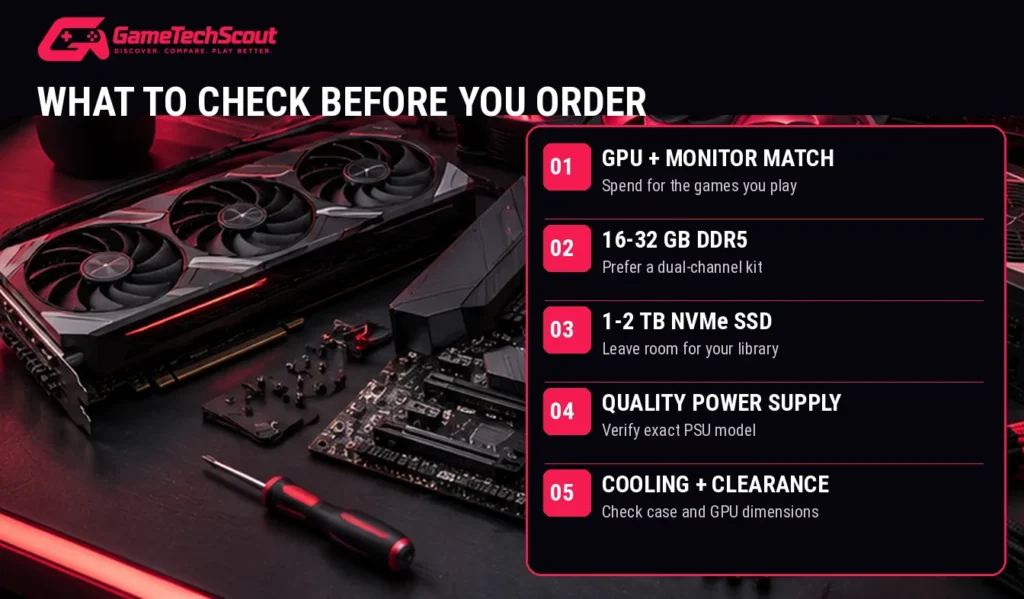
Check:
- The exact power supply model and warranty.
- PSU wattage and supported GPU power connections.
- CPU cooler compatibility.
- Case airflow and GPU clearance.
- Motherboard socket, BIOS support, and expansion options.
- Available storage slots and memory upgrade capacity.
A balanced PC with reliable components can provide a better ownership experience than a poorly assembled machine with a more expensive GPU.
Custom Gaming PC vs Prebuilt vs DIY: Which Is Better?
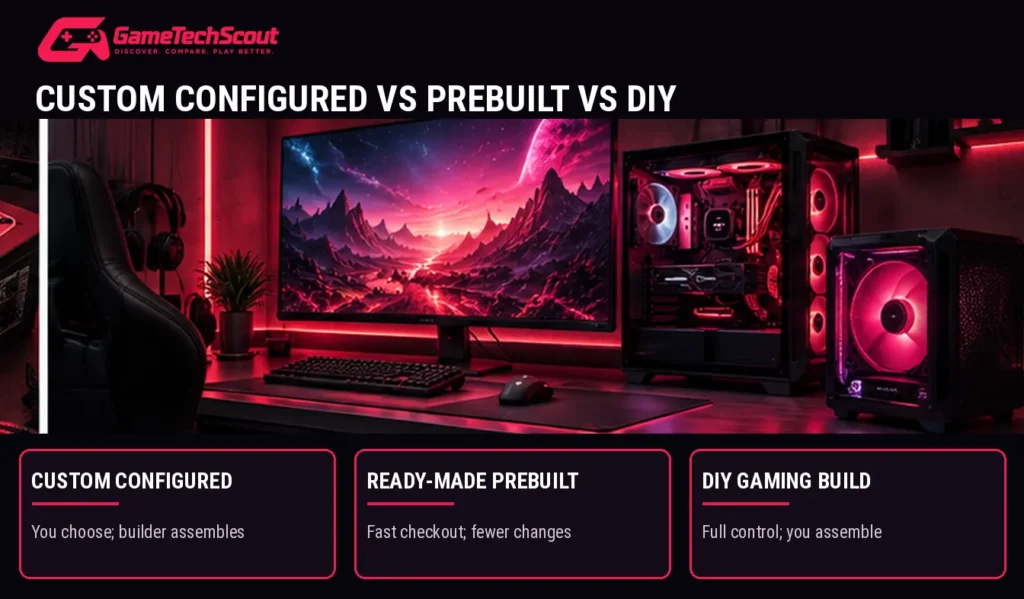
| Option | Main advantage | Main drawback |
|---|---|---|
| Custom-configured PC | You choose components; company assembles it | Assembly and customization premium |
| Ready-to-ship prebuilt | Convenient, often promotional pricing | Limited configuration options |
| DIY gaming PC | Full component control and hands-on experience | You handle assembly and troubleshooting |
If you want control without building the PC yourself, a custom-configured desktop is an attractive option.
If you want a lower purchase price, compare ready-to-ship gaming PCs carefully.
And if you enjoy working with hardware, building your own desktop gives you the most direct control over every component.
How Much Does a Custom Gaming PC Cost in 2026?
Component and memory pricing has changed significantly, making rigid pricing recommendations unreliable.
Here are observed US configurator examples from October 2026:
| Builder | Advertised configuration | Observed price |
|---|---|---|
| CyberPowerPC | Intel desktop with RTX 5060 8GB | About $1,725 |
| iBUYPOWER | Ryzen 7 9700X + RTX 5060 Ti 16GB | About $1,999 |
| CyberPowerPC | Ryzen 7 9800X3D + RTX 5070 Ti | About $3,049 |
These are dated advertised prices and may exclude changes, shipping, taxes, or subsequent promotions.
For your final comparison, calculate the complete checkout price and check what you’re getting for the difference.
Common Custom Gaming PC Buying Mistakes
Avoid these problems before ordering:
- Spending too much on the CPU while choosing a weak GPU.
- Buying a single RAM module when a dual-channel configuration is available.
- Paying for unnecessary RGB upgrades instead of better hardware.
- Choosing an unspecified or poor-quality PSU.
- Forgetting monitor resolution and refresh-rate requirements.
- Ignoring GPU dimensions and case airflow.
- Comparing configurations without considering warranty and shipping.
- Assuming a custom PC automatically outperforms a discounted prebuilt.
Frequently Asked Questions About Custom Gaming PC Builds
What Is the Best Custom Gaming PC Build in 2026?
For high-quality 1440p gaming, a Ryzen 7 9700X with a Radeon RX 9070 XT is a strong configuration to investigate. If you prioritize NVIDIA ray tracing and high-refresh gaming, consider a Ryzen 7 9800X3D with an RTX 5070 Ti.
Is Building a Custom Gaming PC Cheaper Than Buying a Prebuilt?
Not always. DIY builds can save assembly costs, but prebuilt manufacturers sometimes offer better bundled pricing and promotions.
How Much RAM Do You Need for a Gaming PC?
16GB remains a workable starting point, but 32GB DDR5 is a useful choice for new midrange and high-end builds.
Is an RTX 5070 Good for 1440p Gaming?
Yes. The RTX 5070 is capable of high-quality 1440p gaming, although performance varies depending on the game, graphics settings, ray tracing, and upscaling.
Is AMD or Intel Better for Custom Gaming PCs?
Both offer capable processors. Compare exact CPU models, their gaming benchmarks, compatible motherboards, platform costs, and upgrade options.
How Long Can a Custom Gaming PC Last?
A well-maintained system can remain functional for many years, but how long it meets your gaming expectations depends on your games, performance targets, and the ability to upgrade components.
Should You Buy a Custom Gaming PC or Build It Yourself?
Choose professional assembly if you value convenience, system testing, and consolidated support. Build it yourself if you want maximum control and are comfortable troubleshooting hardware.
What Should You Check Before Buying a Custom Gaming PC Build?
Verify the exact CPU, GPU, RAM configuration, motherboard, SSD, PSU, cooler, warranty, compatibility, and complete delivered price.
Conclusion: Find the Best Custom Gaming PC Build for Your Budget
Choosing a gaming PC is about finding the right combination of performance, reliability, and value.
For everyday 1080p gaming, an RTX 5060 configuration can be a practical starting point.
For 1440p gaming, a Radeon RX 9070 XT or RTX 5070-based system deserves attention.
If you want high-refresh 1440p performance and advanced NVIDIA graphics features, an RTX 5070 Ti paired with a Ryzen 7 9800X3D is compelling.
And for demanding 4K gaming, consider an RTX 5080 configuration—but compare its final price carefully.
Your next step: Choose your target resolution, shortlist two or three configurations, and compare complete quotes from CyberPowerPC, iBUYPOWER, MAINGEAR, or another reputable builder.
Don’t just compare the graphics card. Check the entire system.
Planning a custom gaming PC build? Share your budget, preferred games, and monitor resolution in the GameTechScout comments. Your configuration could help other gamers make better buying decisions.
GameTechScout — Discover. Compare. Play Better.
Editorial disclosure: Recommendations are based on manufacturer specifications, current configurator information, and independent hardware testing. GameTechScout has not personally tested the specific custom systems described. Prices and component availability may change.