

Table of Contents
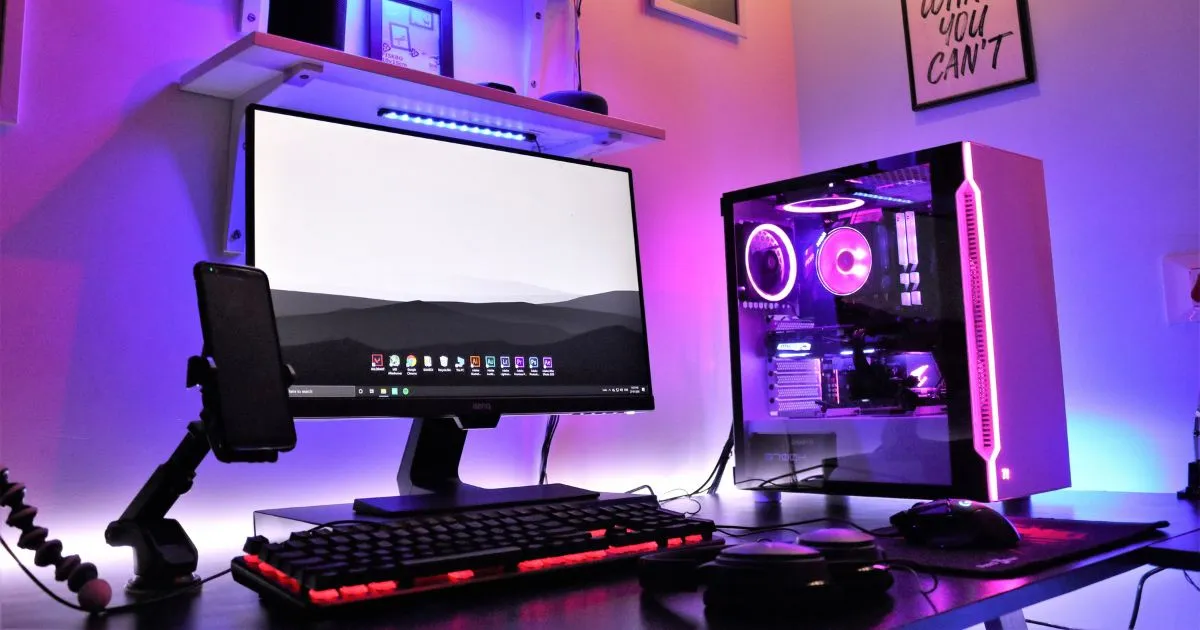
Finding the best gaming pc for your needs requires raw power and smart spending. It should handle modern titles without draining your savings account. This guide helps you choose desktop hardware that fits your needs. We compare setups from entry-level 1080p machines to high-end 4K powerhouses. You will learn how to weigh graphics capabilities, processing speed, and upgrade paths for gaming PC performance. We also explain ownership costs beyond the initial price tag. Whether you prefer high frame rates or visual fidelity, these insights support a smart purchase. We explain technical jargon, so you can invest in a system that delivers lasting gaming PC value.
Key Takeaways
- Identify the ideal balance between hardware costs and frame rate output.
- Understand the differences between 1080p, 1440p, and 4K hardware requirements.
- Learn how to prioritize components like GPUs and CPUs based on your playstyle.
- Discover why future-proofing your build saves money over time.
- Gain confidence in selecting a machine that matches your specific budget goals.

How to Choose the best gaming pc for Performance and Value
Finding the right machine takes more than checking its price tag. A smart gaming PC buying guide cuts through marketing noise and reveals real performance. Focus on how the parts work together to support smooth gameplay for years.
Match the GPU to Your Resolution and Refresh Rate
The GPU for gaming is the most important component in your system. Match this card to your monitor’s native resolution and refresh rate to avoid wasted performance. At 1080p, you do not need the market’s most expensive card.
- 1080p at 60Hz: Entry-level cards provide excellent value.
- 1440p at 144Hz: Midrange cards offer the best balance of speed and detail.
- 4K at 60Hz+: High-end hardware is necessary to maintain smooth frame rates.
Prioritize CPU Performance for Gaming and Everyday Multitasking
While the graphics card handles visuals, the processor manages game logic and background tasks. A balanced best gaming pc for your needs should use a modern CPU that prevents bottlenecks. Choose enough cores for streaming, discord, or browser tabs while you play.
Check RAM, SSD Capacity, Cooling, and Power Supply Quality
Reliability also depends on parts that people often overlook. Gaming computers need fast memory and storage for short load times and quick response. Always verify these specifications:
- RAM: 16GB is the current standard, but 32GB is better for future-proofing.
- SSD: NVMe drives are essential for fast boot times and game loading.
- Cooling: Proper airflow prevents thermal throttling during long sessions.
- Power Supply: A high-quality PSU ensures your components receive stable, safe energy.
Compare Upgrade Access, Warranty Coverage, and Total Price
System value goes beyond the initial purchase. Choose cases that support easy upgrades, such as adding storage or replacing a GPU for gaming later. Check the warranty terms to protect yourself from hardware failure.
Finally, calculate the total ownership cost. A slightly higher upfront price can pay off when standard parts are easy to replace. By following this gaming PC buying guide, you can choose the best gaming pc for your budget and performance goals.
Best Budget Gaming Computers for 1080p Value
You do not need to spend a fortune for high-quality 1080p gaming. Choosing the right system means balancing power with long-term reliability. These gaming computers support favorite games without breaking your budget.
CyberPowerPC Gamer Xtreme VR Gaming PC
Overview
The CyberPowerPC Gamer Xtreme suits players seeking a 1080p gaming PC for modern titles. It uses standard components, making it a strong starting point for hardware enthusiasts.
Pros
- Excellent upgradability due to the use of standard ATX parts.
- Strong thermal performance with a spacious chassis.
- Includes a high-quality mechanical keyboard and mouse.
Cons
- The stock cooling solution can become loud under heavy loads.
- The power supply unit may require an upgrade if you install a high-end GPU later.
Features
This system typically pairs an Intel Core i5 processor with a capable NVIDIA graphics card. It offers plenty of room for more storage drives and RAM. Your machine can grow with your gaming needs.
HP Victus 15L Gaming Desktop
Overview
If you prefer a compact design, the HP Victus 15L ranks among the gaming desktops best suited for small desks. Its sleek, professional look fits home offices and gaming setups.
Pros
- Compact footprint saves valuable desk space.
- Reliable build quality backed by a reputable manufacturer.
- Very quiet operation during standard everyday tasks.
Cons
- Proprietary motherboard and power supply limit future component upgrades.
- Limited airflow compared to larger tower cases.
Features
The Victus 15L uses efficient hardware for consistent 1080p performance. Its software helps you monitor system health and customize lighting. This makes it a best budget gaming PC for users who value simplicity.
Best Midrange Gaming Desktops for Strong Performance and Upgrades
Midrange systems provide the extra power needed for today’s most demanding titles. They bridge entry-level hardware and high-end rigs, making them the best midrange gaming PC choices for serious players. A balanced build helps your investment last through years of intense computer gaming.
Lenovo Legion Tower 5i Gen 8
Overview
The Lenovo Legion Tower 5i Gen 8 offers a clean, efficient design. Its refined look fits well in an office or bedroom while providing strong thermal management.
Pros
- Excellent airflow design keeps components cool under load.
- Tool-less chassis makes it a highly upgradeable gaming PC.
- Quiet operation even during heavy gaming sessions.
Cons
- Limited RGB customization compared to flashier competitors.
- Proprietary motherboard can restrict some aftermarket cooling upgrades.
Features
This system typically uses the latest Intel Core processors with mid-to-high-tier NVIDIA graphics cards. Its thoughtful internal layout lets you swap the GPU or add storage as your needs change.
Acer Predator Orion 5000 PO5-650
Overview
If you prefer a bold look, the Acer Predator Orion 5000 PO5-650 ranks among the gaming desktops best suited for enthusiasts. It combines powerful components with a chassis designed for maximum visibility.
Pros
- Striking design with integrated ARGB lighting.
- Strong out-of-the-box performance for 1440p resolution.
- Easy access to internal components for future maintenance.
Cons
- The chassis footprint is quite large for smaller desks.
- Fans can become audible when the system is pushed to its limits.
Features
The Orion 5000 includes advanced cooling and support for high-speed memory. It delivers reliable computer gaming without requiring a custom rig build.
| Feature | Lenovo Legion Tower 5i | Acer Predator Orion 5000 |
|---|---|---|
| Primary Focus | Minimalist Efficiency | Aggressive Aesthetics |
| Upgradeability | High (Tool-less) | High (Easy Access) |
| Cooling | Silent Airflow | High-Performance Fans |
| Best For | Professional Gamers | Visual Enthusiasts |
Best High-End Gaming PCs for 1440p and 4K Computer Gaming
Stepping into 4K gaming requires a machine with serious power and precision. Budget systems suit casual play, but a best high-end gaming PC offers the cooling and power modern games demand. Premium hardware can be the best gaming pc for the money because it lasts longer and stays stable at 4K.
Alienware Aurora R16
Overview
The Aurora R16 brings a major design change for Alienware, with better airflow and a practical look. It is a powerhouse for enthusiasts who want a reliable 1440p gaming PC that handles 4K workloads with ease.
Pros
- Excellent thermal management compared to previous generations.
- Compact footprint that fits easily on most desks.
- Consistent, high-tier performance across all modern titles.
Cons
- Proprietary motherboard components limit future DIY upgrades.
- The software suite can feel intrusive for some users.
Features
This system has a refined chassis that focuses on efficient cooling. Liquid cooling keeps the CPU quiet during heavy computer gaming sessions. The balanced system excels at detailed graphics and fast-paced action.
Corsair Vengeance i8200
Overview
If you value quality parts and standard components, the Corsair Vengeance i8200 is a top choice. It is a premier 4K gaming PC with high-end Corsair parts that are easy to maintain and upgrade.
Pros
- Uses off-the-shelf parts for maximum upgrade potential.
- Stunning build quality with premium aesthetics.
- Top-tier cooling solutions for sustained performance.
Cons
- Carries a significant price premium over entry-level systems.
- The large tower size requires ample desk or floor space.
Features
The i8200 includes fast RAM and top-of-the-line GPUs for computer gaming enthusiasts. Its clean, professional design showcases the internal components. For the best gaming pc for the money in the premium class, it offers excellent flexibility for future hardware swaps.Your choice depends on upgradeability needs and your preference for a compact, pre-built system. A quality 1440p gaming PC or powerful 4K gaming PC supports your digital future. Choose hardware that matches your goals, and it can stay useful for years.
Conclusion
Selecting the best gaming pc for the money starts with clear personal goals. Balance target resolution and refresh rate against your total budget. A smart gaming PC comparison shows trade-offs between entry-level 1080p machines and high-end 4K powerhouses.
Your choice depends on whether you value future upgrades or immediate, out-of-the-box performance. Systems like the Lenovo Legion Tower 5i offer flexibility for users who may swap parts later. If you want a premium experience without manual changes, the Corsair Vengeance i8200 provides top-tier components for intense sessions.
Examine cooling solutions, power supply efficiency, and warranty terms before buying. These details help your investment last through years of heavy use. Finding the best gaming PC for performance and value means matching hardware to your lifestyle.
Review your favorite titles and desired settings before choosing. Pick the system that meets your needs today and offers the reliability you expect. Your perfect machine is waiting to elevate your digital experience.
FAQ
What features should you prioritize when searching for the best gaming pc for the money?
Choose a balanced configuration with a GPU matched to your desired resolution. For 1080p computer gaming, CyberPowerPC Gamer Xtreme VR offers excellent bang-for-your-buck, with reliable SSD and at least 16GB RAM. An Intel Core i5 or i7 CPU should not bottleneck your graphics card during intense multitasking.
Are budget-friendly gaming computers like the HP Victus 15L capable of playing modern AAA titles?
Yes, budget-friendly gaming computers can run modern AAA titles. The HP Victus 15L Gaming Desktop is engineered for 1080p gameplay. Although it may not reach ultra-settings at 4K, it offers reliable entry-level gaming without a massive upfront investment.
Why should you consider a midrange system like the Lenovo Legion Tower 5i Gen 8 for future-proofing?
Choose a midrange system if you want a machine that grows with your needs. The Lenovo Legion Tower 5i Gen 8 and Acer Predator Orion 5000 stand out with spacious chassis and standard component layouts. These designs simplify NVIDIA GeForce graphics card upgrades and storage additions later, keeping computer gaming strong for years.
When is it worth investing in high-end gaming computers like the Alienware Aurora R16 or Corsair Vengeance i8200?
If you want uncompromising 1440p or 4K performance, a premium system is worth the investment. The Alienware Aurora R16 offers a redesigned thermal acoustic profile for quieter sessions. The Corsair Vengeance i8200 uses elite-grade components and liquid cooling for demanding games, delivering high frame rates and immersive visuals.
How does the choice of cooling and power supply affect your computer gaming experience?
Never overlook the “unseen” components. High-quality cooling keeps your Intel or AMD processor from thermal throttling, preserving peak speeds during long gaming marathons. A high-efficiency power supply in premium Corsair Vengeance builds protects your investment against instability, keeping gaming computers safe and functional.
Does warranty coverage and upgrade access really impact the total value of gaming desktops best suited for your home?
Absolutely. When choosing the best gaming pc for the money, look beyond the initial price tag. A robust warranty and easy internal access, like those offered by Acer or Lenovo, can reduce long-term ownership costs. If you can replace a part yourself instead of buying a new rig, your computer gaming setup gains value over time.
1 Comment